A domain redirect is an HTTP response, usually a 301 or 308, that sends every request for one domain to another. DNS alone can’t do it: a DNS record only points a name at a server, and something on that server has to answer with the redirect. Done right, it keeps the visitor’s path and works over HTTPS.
In October 2026, AI companies paid aftermarket prices for .si names they only use as redirects. According to Domain Name Wire on October 15, 2026, plasma.si sold for $20,000 and gab.si for $3,988. We tested those redirects and a few big-brand ones on October 17, 2026. Most dropped the visitor’s path, one relied on a temporary 302, and two served the wrong HTTPS certificate.
.si is Slovenia’s country-code domain. For AI companies it reads as SuperIntelligence. That is why some teams on .ai now hold the matching .si and point it at the main site. In our check of 50 AI companies whose main site runs on .ai, only 2 had a .si twin that pointed to their own site: plasma.si and gab.si.
The guide covers status codes, real failures, copy-paste config for nginx, Apache and Cloudflare, an email lockdown and a curl test. If you are still choosing the main domain itself, start with our guide to the best domain for an AI startup.
What a domain redirect is (and why DNS alone can’t do it)
A domain redirect happens at the HTTP layer, not in DNS. DNS tells the browser which server to contact, and that server has to reply with a 3xx status code and a Location header that names the new address.
Here is the sequence. A browser looks up example.si, gets an IP address, connects and asks for a path such as /pricing. A redirect server answers with 301 Moved Permanently and Location: https://example.com/pricing. The browser then repeats the request at the new address.
A CNAME record can’t do this job. It only makes one hostname an alias of another during the DNS lookup. The browser still asks for example.si, so the target server must accept that name and hold a certificate for it. If it doesn’t, the visitor sees an error or the wrong site.
Registrar “URL forwarding” looks like a DNS setting, but it works because the registrar runs a small web server that answers on your behalf. Google’s guide to redirects and Google Search says: “we recommend that you use a permanent server-side redirect whenever possible.” Server-side redirects also run first. MDN notes that HTTP redirects execute before JavaScript redirects and meta refresh tags, and those two need a hosted page anyway.
301, 302, 307 or 308: which redirect code to use
Use 301 for a second domain that should always point to your main site, or 308 if the domain also receives form posts or API calls. Keep 302 and 307 for genuinely temporary moves and for testing.
RFC 9110, the HTTP standard, says a 301 points to “a new permanent URI,” while a 302 means the resource “resides temporarily under a different URI” for now. Both carry a historical quirk: a browser may turn a POST request into a GET. The 307 and 308 codes exist so the method and body stay unchanged.
| Code | Permanent? | Method kept? | Google treats it as | Use when |
|---|---|---|---|---|
| 301 Moved Permanently | Yes | Not guaranteed (POST may become GET) | Permanent: signal that the target is canonical | Default for a second domain |
| 302 Found | No | Not guaranteed (POST may become GET) | Temporary: no canonical signal | Testing, short campaigns |
| 307 Temporary Redirect | No | Yes | Temporary: no canonical signal | Temporary moves of forms or APIs |
| 308 Permanent Redirect | Yes | Yes | Permanent: same effect as 301 | Permanent moves that must keep POST requests |
Google Search groups redirect codes by permanence, not by number. “All permanent redirection methods have the same effect on Google Search,” according to Google’s guide to consolidating duplicate URLs. A 301 or 308 tells Google the target should be canonical, and a 302 or 307 does not. RFC 9110 adds one caveat: 308 dates from June 2014 and “might not be recognized everywhere,” so 301 stays the safe default for ordinary web traffic.
Watch the defaults. Some registrar forwarders create a temporary redirect unless you open an advanced setting and choose 301. Our test below found temporary codes on live .si domains.
What we found testing real .si redirects
Of the six redirects we tested on October 17, 2026 (plasma.si, gab.si, salesforce.si, recursive.si, microsoft.si and ai.gov), only plasma.si and microsoft.si kept the visitor’s path. Both salesforce.si and recursive.si had a broken HTTPS setup on the .si name. Only microsoft.si got the apex right in a single hop, and even its www variant failed our four-variant check.
Method: buysidomains.si requested /test-path?q=1 on the http and https versions of each domain with curl -I and curl -IL at about 16:30 UTC. We also looked up registration data in Register.si RDAP. Observed October 17, 2026; setups change.
| Domain | First response | Hops | Path kept? | HTTPS on the .si | Note |
|---|---|---|---|---|---|
| plasma.si | 302 on http, then 301 | 2 | Yes | Works | Ends at www.plasma.ai with path and query |
| gab.si | 301 | 1 | No | Works, HSTS 30 days | Same 301 on http, https and www |
| salesforce.si | 301 on http | 1 | No | Port 443 timed out twice | Ends at www.salesforce.com homepage |
| recursive.si | 302 | 2 | No | A certificate issued for the registrar’s own domain | 302 to recursive.com, then a 301 to www.recursive.com; browsers show a certificate error on https |
| microsoft.si | 301 | 1 | Yes | Works, HSTS 1 year | Apex lands on microsoft.com/slovenija/ with path and query; https://www.microsoft.si shows a certificate for another hostname |
| ai.gov → si.gov | 301 | 3 from http | No | Works, HSTS 1 year | http to https, then www.ai.gov, then www.si.gov |
The same faults showed up on big and small brands.
- Path loss is the most common fault. gab.si, salesforce.si, recursive.si and the ai.gov chain sent our test path to a homepage. A link to a pricing page on the alias lands on the front page instead.
- HTTPS fails quietly. Over plain http, salesforce.si and recursive.si looked fine. Over https, one timed out and the other presented a certificate for a different domain, which browsers reject.
- Temporary codes slip in. recursive.si answered with a 302, never a 301. plasma.si started with a 302 on http before its 301, though it still reached the right page.
- Chains add up. ai.gov needs three redirects from http to reach www.si.gov. Google’s site move guide says to redirect “to the final destination directly.”
- Clean is possible, on the apex. microsoft.si sends one 301 straight to microsoft.com/slovenija/ with the path and query intact, and sets HSTS for a year. Its www variant shows why you test all four: http://www.microsoft.si redirects to an http address, and https://www.microsoft.si presents a certificate for a different hostname.
Two more big-brand names showed the same habits. amazon.si answered an https request with a 302 to the amazon.de homepage, and nvidia.si took three hops to reach nvidia.com/en-eu/. None of this breaks a brand, but every dropped path sends someone from an old link or a typed URL to the wrong page.
How to redirect a domain: four methods compared
There are four proper ways to redirect a domain: registrar URL forwarding, Cloudflare Redirect Rules, your own web server, or an S3 bucket behind CloudFront. Masked forwarding and DNS-only setups look similar but aren’t real redirects.
| Method | 301/308 | HTTPS on source | Path kept | Cost | Best for |
|---|---|---|---|---|---|
| Registrar domain forwarding (URL forwarding) | Varies; some default to temporary | Varies by registrar | Varies; often an option | Often included with the domain | Quick setup if 301, path and HTTPS are all supported |
| Cloudflare Redirect Rules | Yes (301, 302, 307, 308) | Yes, on proxied records | Yes, with a dynamic target | Free plan: 10 Single Redirect rules per zone; Bulk Redirects up to 10,000 URLs | Most second domains, especially with no hosting |
| Web server (nginx, Apache) | Yes | Yes, with your own certificate | Yes | A server you already run | Teams that run their own servers |
| S3 website endpoint | Yes | No; needs CloudFront or Amplify in front | Depends on setup | AWS usage pricing | Teams already on AWS |
| Masked or frame forwarding | No | Varies | Address bar shows the alias only | Often included | Not recommended |
| DNS only (A or CNAME) | No: not a redirect | Only if the target serves a certificate for the alias | Not applicable | Free | Not a redirect |
Cloudflare fits a domain with no hosting at all. Its guide to redirecting one domain to another says to add an A record pointing to 192.0.2.1 (or an AAAA record to 100::), proxied. That address “does not route traffic to an origin server,” so the redirect rule answers every request. Redirect Rules only work on proxied records.
AWS states that “Amazon S3 website endpoints do not support HTTPS,” so an S3 redirect needs CloudFront or Amplify in front. Masked forwarding loads your main site inside a frame on the alias. IONOS’s own help pages recommend an HTTP redirect instead when search matters.
nginx
Give the alias its own server block. The $request_uri variable carries the path and query string, so nothing gets lost.
server {
    listen 80;
    listen 443 ssl;
    server_name example.si www.example.si;

    ssl_certificate     /etc/letsencrypt/live/example.si/fullchain.pem;
    ssl_certificate_key /etc/letsencrypt/live/example.si/privkey.pem;

    return 301 https://example.com$request_uri;
}
The nginx docs describe the older if-based pattern as “a wrong, cumbersome, and ineffective way” to do this. The return line also accepts 302, 307 and 308.
Apache
Apache’s Redirect directive appends any extra path to the target, so /pricing goes to https://example.com/pricing. The block below handles http. For https, add a matching <VirtualHost *:443> with the same ServerName, ServerAlias and Redirect lines, plus the SSL certificate directives for example.si.
<VirtualHost *:80>
    ServerName example.si
    ServerAlias www.example.si
    Redirect permanent "/" "https://example.com/"
</VirtualHost>
Without the word permanent, Apache sends a 302, because temporary is the default.
Cloudflare Redirect Rules
Add both DNS records as proxied, then create one rule with a dynamic target that rebuilds the URL from the request path.
DNS (proxied)
A     example.si       192.0.2.1
A     www.example.si   192.0.2.1

Redirect rule
If (custom filter expression):
  (http.host eq "example.si") or (http.host eq "www.example.si")
Then: Dynamic redirect
  Expression: concat("https://example.com", http.request.uri.path)
  Status code: 301
  Preserve query string: on
On the Free plan, this rule uses 1 of the 10 Single Redirect rules per zone.
Registrar domain forwarding (URL forwarding)
If you stay with registrar domain forwarding, check three settings: the redirect type is 301, the “include path” option is on, and HTTPS works on the alias. One registrar’s documentation notes that an https to https redirect requires both domains to have SSL certificates. Remove any old A, CNAME or ALIAS records that conflict with the forwarder.
Redirect a domain to another domain in six steps
Pick where the redirect will run, point both the apex and www at it, get a certificate, add one 301 rule, lock down email and test with curl. The order matters, because HTTPS must exist before the rule can serve https requests.
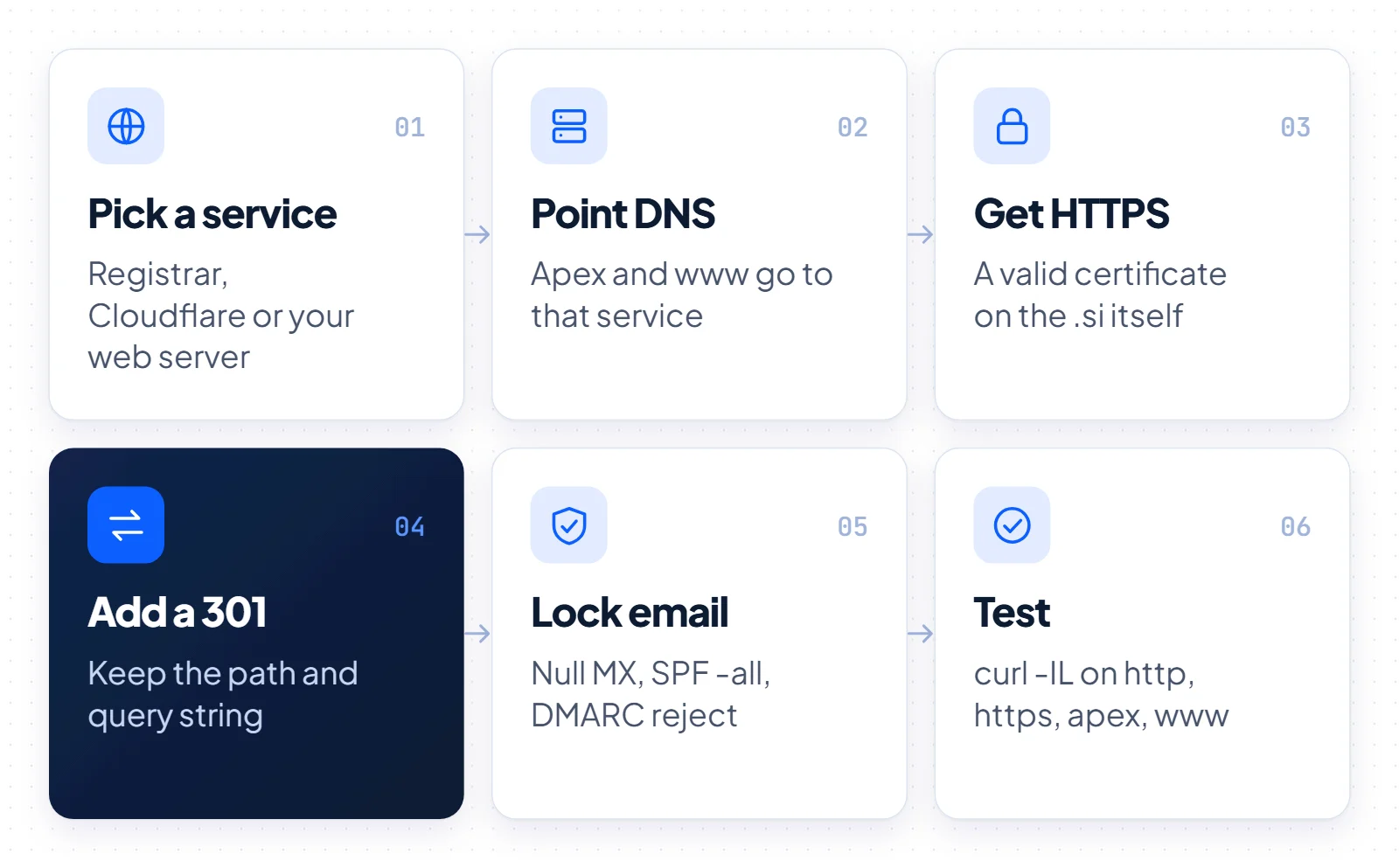
- Pick a service. Use Cloudflare if your DNS can move there, your web server if you already run one, and registrar forwarding only if it supports 301, path and HTTPS.
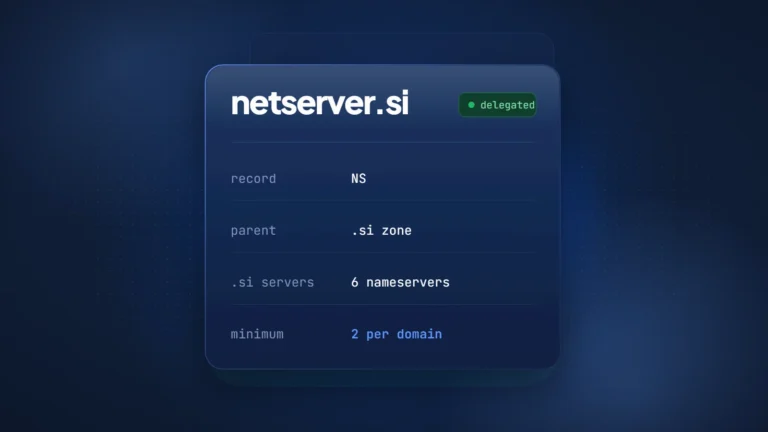
- Point apex and www. Create records for both example.si and www.example.si. For a .si, nameserver changes go only through your registrar: Register.si’s General Terms (Art. 3.5) say holder requests can be made “solely via a Registrar.” A .si delegation needs at least two NS records, and those servers must answer on port 53 over UDP and TCP.
- Get HTTPS. Issue a certificate that covers both names. Let’s Encrypt doesn’t charge for certificates, and it announced on October 7, 2026 that default lifetimes drop from 90 to 64 days on February 10, 2027. Automate the renewal.
- Add a 301 rule. Send every variant to the final HTTPS URL in one hop, with path and query kept. Set it up as a 302 first, because browsers cache a 301 and a mistake can stick. You switch it to 301 in step 6.
- Lock down email. Publish records that say the alias sends and receives no mail (next section).
- Test with curl. Check http and https on apex and www. When every variant lands on the right URL, change the code to 301 and run the same checks again.
This is not a site move. Moving an existing site with rankings to a new domain is a bigger job. It includes page-by-page mapping and Search Console’s Change of Address tool, whose actions continue for 180 days. Our domain migration SEO guide covers that case. A fresh alias with no history only needs the redirect.
Don’t forget email and HSTS on a redirect-only domain
A redirect-only domain should publish DNS records stating that it sends and receives no email. GOV.UK guidance recommends a null MX record (RFC 7505), SPF “v=spf1 -all” and a DMARC reject policy. A redirect-only domain should send an HSTS header only if certificate renewal is automated, because under RFC 6797 a bad or expired certificate leaves users no way to click through.
Without these records, nothing tells receiving mail servers that mail from the alias is fake. The UK government’s guidance, Protect domains that don’t send email, recommends four records. The DMARC line below is the minimal form; GOV.UK’s version adds strict alignment and a reporting address (rua=mailto:…) if you want reports.
example.si.                 MX   0 .
example.si.                 TXT  "v=spf1 -all"
_dmarc.example.si.          TXT  "v=DMARC1;p=reject;sp=reject"
*._domainkey.example.si.    TXT  "v=DKIM1; p="
The null MX record comes from RFC 7505: “MX 0 .” means the domain has no mail exchanger, and it must not publish any other MX record. GOV.UK notes that some DNS providers don’t support null MX. Check first that the domain truly sends no mail. For example, plasma.si publishes MX records at its registrar’s mail servers, and a null MX would break any mail it receives there.
HSTS tells browsers to use only HTTPS for a domain. MDN notes that browsers ignore the header when it arrives over plain HTTP, so it only counts on the HTTPS response. RFC 6797 explains the risk: once a browser holds the policy, a bad or expired certificate leaves the user no way to click through, and the alias becomes unreachable.
Send HSTS on the alias only when renewal is automated, and skip the preload list unless you are certain. The hstspreload.org site warns that inclusion “cannot easily be undone,” and removal takes months.
Test your domain redirect with curl
Run curl against all four variants of the alias, http and https on both apex and www, with a test path. Each should return one 301 or 308 whose Location header is the final HTTPS URL with the same path and query.
curl -I "http://example.si/test-path?q=1"
curl -I "https://example.si/test-path?q=1"
curl -I "http://www.example.si/test-path?q=1"
curl -I "https://www.example.si/test-path?q=1"
A good response looks like this.
HTTP/1.1 301 Moved Permanently
Location: https://example.com/test-path?q=1
Then follow the chain with curl -IL. You want exactly two status lines: the 301 from the alias and the destination’s own response. A 404 is normal for a made-up test path; repeat with a real page such as /pricing to see a 200.
curl -IL "http://www.example.si/test-path?q=1"- Every variant returns 301 or 308, not 302 or 307.
- The Location header is the final https URL, not an http address or an extra www hop.
- The path and query string arrive intact.
- The https variants complete without the -k flag. If curl reports a certificate error, browsers will too.
Registrar forwarders usually start working within 10–30 minutes, according to their own documentation. DNS changes can take longer while old records expire from caches, so retest before you conclude a setup is broken.
Which domain redirect setup to choose
For most second domains, a Cloudflare Redirect Rule or a 301 on your own web server is the right choice. Use registrar forwarding only when it offers 301, path forwarding and a valid certificate on the alias.
- No hosting, DNS can move: use a Cloudflare Redirect Rule on proxied records.
- You already run nginx or Apache: add a server block or virtual host with a single 301.
- You hold several aliases: track renewals for both the domains and the certificates, as covered in our domain portfolio management guide.
- You are moving a whole site: follow a full migration plan, not just a redirect.
Keep the redirect running. Google’s site move guidance says to keep redirects “generally at least 1 year,” and for a brand alias that usually means for as long as you hold the domain. A lapsed domain or an expired certificate breaks the redirect overnight.
Disclosure: buysidomains.si sells .si domain names, including nvq.si. For background on registering and using .si names, see our .si domains guide.