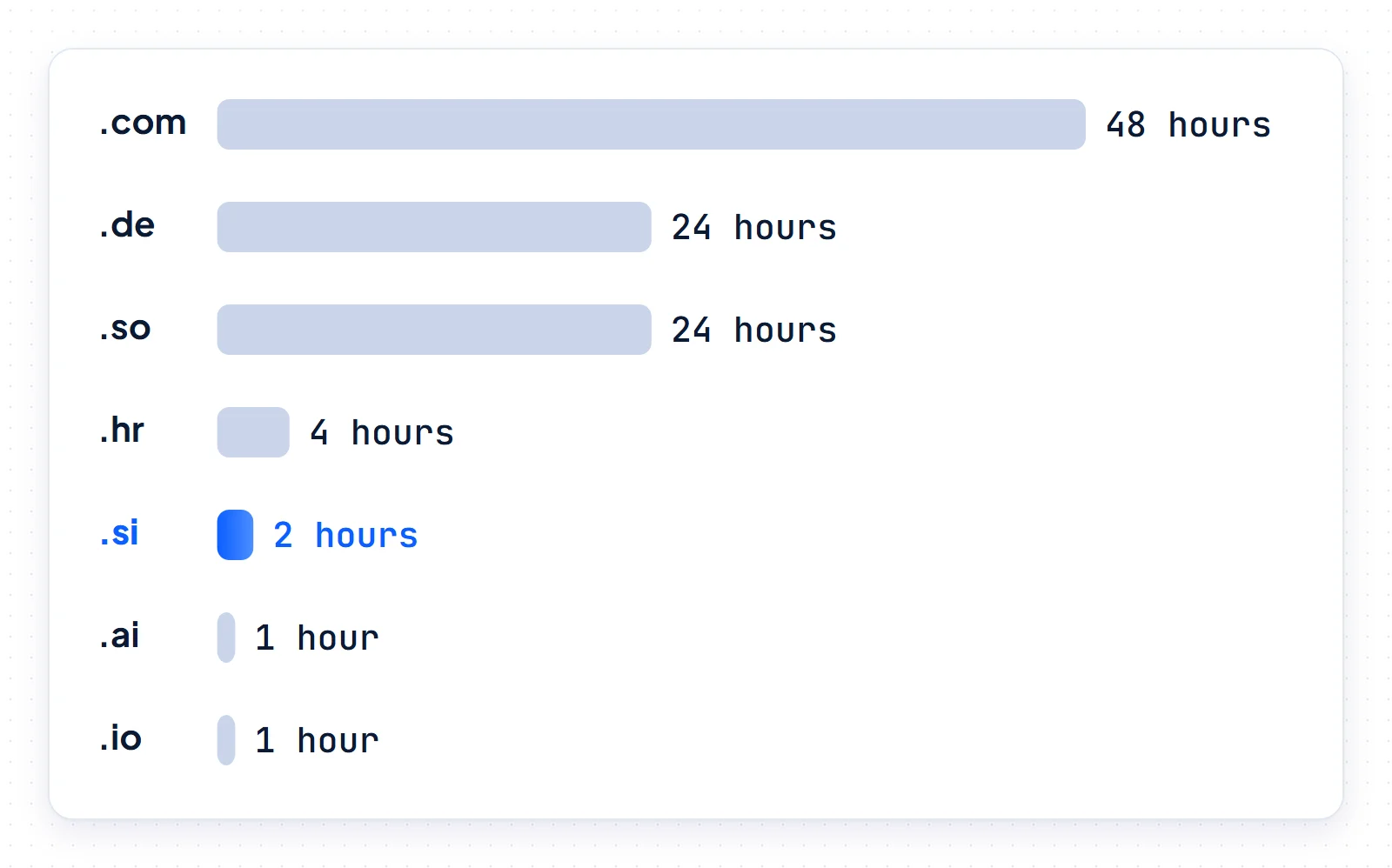
DNS propagation is the delay between changing a DNS setting and every resolver returning the new answer. Nothing is pushed: each resolver keeps its cached copy until the TTL expires. An edit to a single record often settles within minutes. A nameserver change can stay cached for up to 48 hours on .com, compared with 2 hours for a .si delegation.
We measured those timers on November 17, 2026, across 13 top-level domains and 38 real sites. .si is Slovenia’s country-code domain. For AI companies it reads as SuperIntelligence. The .si registry runs on different clocks from .com, so we compare the two throughout.
What DNS propagation actually is
DNS propagation is the period in which recursive resolvers still serve a cached old answer after you edit a record. Your authoritative nameservers serve the new value within seconds or minutes: AWS says changes generally reach all Route 53 name servers within 60 seconds. Resolvers keep the old answer until the TTL they cached runs out, so the longest wait equals the old TTL, not the new one.
Browsers, operating systems and recursive resolvers all cache answers, and each fetched your record at a different moment. Cloudflare’s DNS troubleshooting guide describes propagation as uneven for exactly that reason. RFC 1034, the core DNS standard, deliberately ranks access to information above instant consistency. Through all of this, your authoritative nameservers remain the only source of truth.
How long DNS propagation takes depends on what you changed
The wait follows the timer on whatever you changed:
- A record edit (A, CNAME, MX, TXT): resolvers keep the old value until its old TTL expires, about 5 minutes for a 300-second TTL and a day for 86,400 seconds.
- A nameserver change: resolvers cache the TLD’s delegation for the TTL its servers set, and AWS notes that some resolvers use this parent TTL. Plan for both that TTL and the NS TTL at your old DNS host.
- A brand-new domain or record: a resolver that asked too early cached a “does not exist” answer, which lasts for the zone’s negative-caching TTL.
TLD timers we measured
BuySI Domains compiled the table below on November 17, 2026, by querying each TLD’s own servers directly. The delegation NS TTL limits how long resolvers cache a domain’s nameservers, and the negative-caching TTL limits how long they cache a “no such domain” answer.
| TLD | Delegation NS TTL | Negative-caching TTL |
|---|---|---|
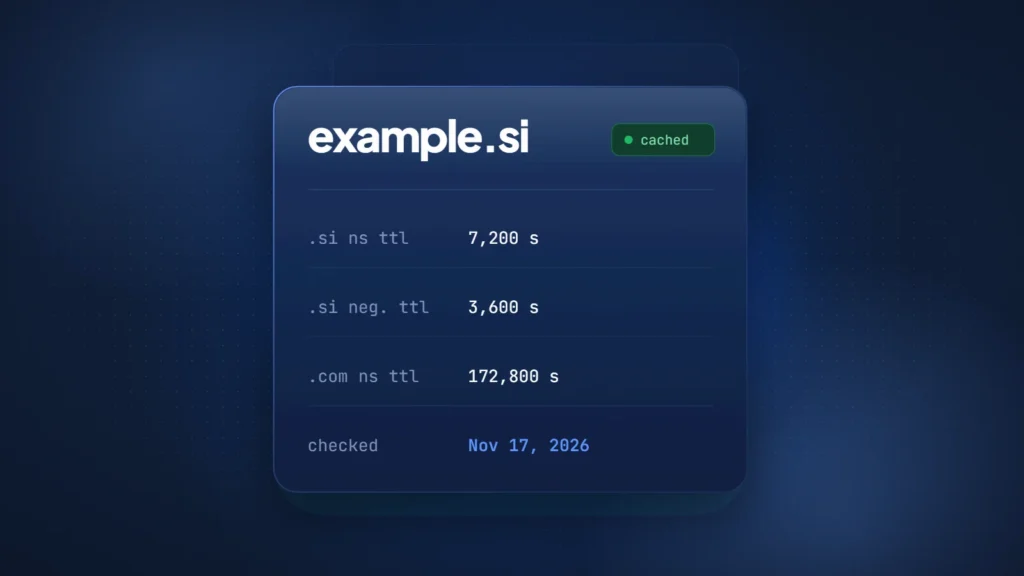
| .com | 172,800 s (48 h) | 900 s (15 min) |
| .net | 172,800 s (48 h) | 900 s (15 min) |
| .de | 86,400 s (24 h) | 7,200 s (2 h) |
| .so | 86,400 s (24 h) | 86,400 s (24 h) |
| .eu | 86,400 s (24 h) | 600 s (10 min) |
| .hr | 14,400 s (4 h) | 3,600 s (1 h) |
| .si | 7,200 s (2 h) | 3,600 s (1 h) |
| .org | 3,600 s (1 h) | 3,600 s (1 h) |
| .ai | 3,600 s (1 h) | 3,600 s (1 h) |
| .io | 3,600 s (1 h) | 3,600 s (1 h) |
| .co | 3,600 s (1 h) | 900 s (15 min) |
| .me | 3,600 s (1 h) | 3,600 s (1 h) |
| .tech | 900 s (15 min) | 300 s (5 min) |
One level up, the root zone lists every one of these TLDs with a 172,800-second NS TTL.
Where the 24–48 hour figure comes from
The “24–48 hours” figure for DNS propagation matches real registry timers, and it is a ceiling for nameserver changes, not a fixed delay for every DNS edit. On November 17, 2026, BuySI Domains measured a 172,800-second (48-hour) delegation TTL at the .com and .net servers, and 86,400 seconds (24 hours) for .de, .eu and .so. AWS calls 172,800 seconds the typical NS TTL.
What is TTL in DNS, and why resolvers cap it
TTL, or time to live, is the number of seconds a resolver may cache a DNS record before discarding it. RFC 1035 says a zero TTL means the record should not be cached. RFC 2181 sets the ceiling at 2,147,483,647 seconds. It also calls a TTL “a maximum time to live, not a mandatory time to live,” so resolvers may impose their own upper bound.
Most do: by default, BIND 9 caps cached records at 1 week and Unbound at 1 day. Google Public DNS says TTLs are generally limited to 6 hours, and Cloudflare said in 2018 that 1.1.1.1 caches entries for up to 3 hours. A 48-hour .com delegation rarely survives that long at the largest public resolvers, although an ISP or office resolver may keep the full value.
Low TTLs, such as Cloudflare’s Auto value of 300 seconds, let changes settle faster but send more queries to your DNS host. The usual pattern is to lower them before a planned change and raise them afterward.
Negative caching: why a new record can stay invisible
Negative caching is why a brand-new record or domain can stay invisible. A resolver that looked up the name before it existed stores the “does not exist” answer for the lower of the SOA TTL and SOA minimum, as RFC 2308 defines. For nonexistent .si names that is 3,600 seconds (1 hour). Cloudflare zones default to 1,800 seconds and Route 53 zones to 900 seconds.
Cloudflare warns that a lower TTL on the new record “will not speed up resolution” once a negative entry exists. By default Unbound caps these entries at 3,600 seconds and BIND at 10,800 seconds (3 hours). The practical fix is order: create the record first, then test it.
Our TTL audit: AI company domains vs .si sites
We queried the authoritative nameservers of 20 AI company domains, including OpenAI, Anthropic and Mistral AI. We compared them with 18 well-known Slovenian .si sites, reported here only as group figures. BuySI Domains checked all values on November 17, 2026.
| Metric | 20 AI company domains | 18 .si sites |
|---|---|---|
| On Cloudflare, Route 53, Azure DNS or Google Cloud DNS | 20 of 20 | 3 of 18 |
| Median apex A (or CNAME) TTL | 300 s (5 min) | 450 s (7.5 min) |
| Apex record TTL of 300 s or less | 18 of 20 | 9 of 18 |
| Apex record TTL range | 30–3,600 s | 60–3,600 s |
| Median apex NS TTL | 86,400 s (24 h) | 3,600 s (1 h) |
| Apex NS TTL of 86,400 s or more | 17 of 20 | 2 of 18 |
| Median SOA minimum field (sets negative caching) | 1,800 s (30 min) | 3,600 s (1 h) |
In the BuySI Domains audit of November 17, 2026, 20 AI company domains used a median apex record TTL of 300 seconds. Their median apex NS TTL was 86,400 seconds. The 18 Slovenian .si sites we queried used medians of 450 seconds and 3,600 seconds. AI companies can repoint records within minutes, but their own NS records stay cached for a day, which slows any later move between DNS hosts.
On the .si side, 4 of the 18 sites keep apex records at 3,600 seconds or more, so an IP change there can take an hour to reach everyone.
DNS propagation for .si domains
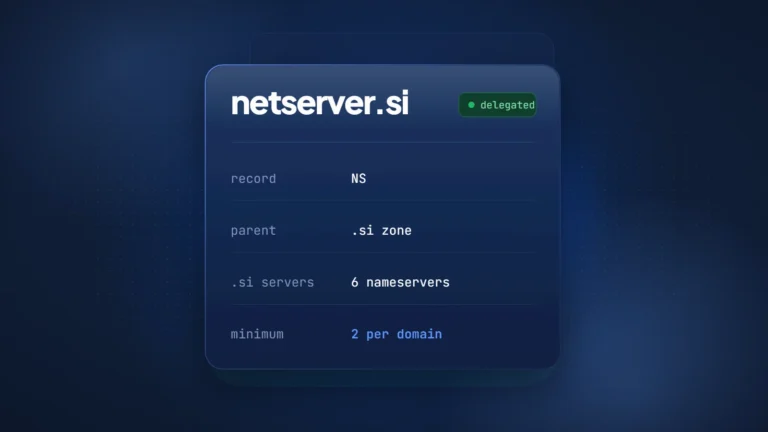
For .si domains, the registry layer differs from .com in two ways: a shorter delegation TTL and an hourly zone build. Register.si publishes .si delegations with a 7,200-second (2-hour) NS TTL, compared with 172,800 seconds (48 hours) at .com. Its DNSSEC Practice Statement says the .si zone file is created and signed every hour. A new .si delegation must list at least two nameservers and pass a Zonemaster check before it enters the zone.
How often the .si zone changes
On November 17, 2026, BuySI Domains queried the TLD servers every 30 seconds for 20 minutes, from 06:40 to 07:00 UTC. The .com SOA serial, a Unix timestamp, changed at every check, so the .com zone was republished at least once every 30 seconds. The .ai serial changed twice, about 10 minutes apart. The .si serial stayed at its 06:00 UTC value throughout. A second check that ran past the hour caught the next build: shortly after 07:00 UTC, the .si serial moved to a 07:00 UTC value.
That pattern fits the hourly build described in Register.si’s DNSSEC Practice Statement. It is one 20-minute observation, not a guarantee, and we found no fixed delivery time for nameserver changes in Register.si’s published rules.
Register.si checks your nameservers first
Besides the Zonemaster check, Register.si’s DNS requirements page advises against nameservers that share one IP address. If Zonemaster finds an error, the domain stays out of DNS until someone fixes it. Failed checks repeat every 10 minutes for the first 8 hours, hourly up to 24 hours, then daily. Each nameserver edit restarts the 10-minute cycle.
With DNSSEC, the registrar submits the DS record over EPP, and Arnes checks that it matches a DNSKEY in your zone before adding it. Our guide to DNSSEC and DS records covers that flow.
None of this makes .si faster overall: record TTLs still come from your DNS host, and a failed Zonemaster check can add hours. Only the registry layer differs, as our .si domain guide explains.
How to change nameservers without downtime
A nameserver move rewards planning, because the old timers already sit in caches. The Route 53 guide to migrating a domain in use gives the clearest public sequence, and the same order works elsewhere.
- Lower TTLs. At both the old and the new DNS host, lower the TTL of the NS records (AWS recommends 60 to 900 seconds), and lower key record TTLs. You cannot change the TLD’s delegation TTL. Then wait out the old TTL: 2 days if it was 172,800 seconds.
- Copy the zone. Recreate every record at the new host, including MX and the TXT records for SPF, DKIM and site verification, then query the new nameservers directly to confirm each answer.
- Remove DS. If DNSSEC is on, remove the DS record at your registrar before the move, as AWS and Cloudflare both instruct. In the .si zone, the cached DS expires within 7,200 seconds.
- Switch NS. Replace the nameservers at your registrar. A .si domain needs at least two and a passing Zonemaster check.
- Keep old DNS. Leave the old zone running unchanged for at least the TLD delegation TTL plus the old NS TTL. AWS warns that skipping the TTL step can leave a domain unavailable for up to 2 days if something goes wrong.
- Raise TTLs. Once traffic has moved, raise the NS TTL again (AWS suggests 172,800 seconds), restore normal record TTLs and add the new DS record.
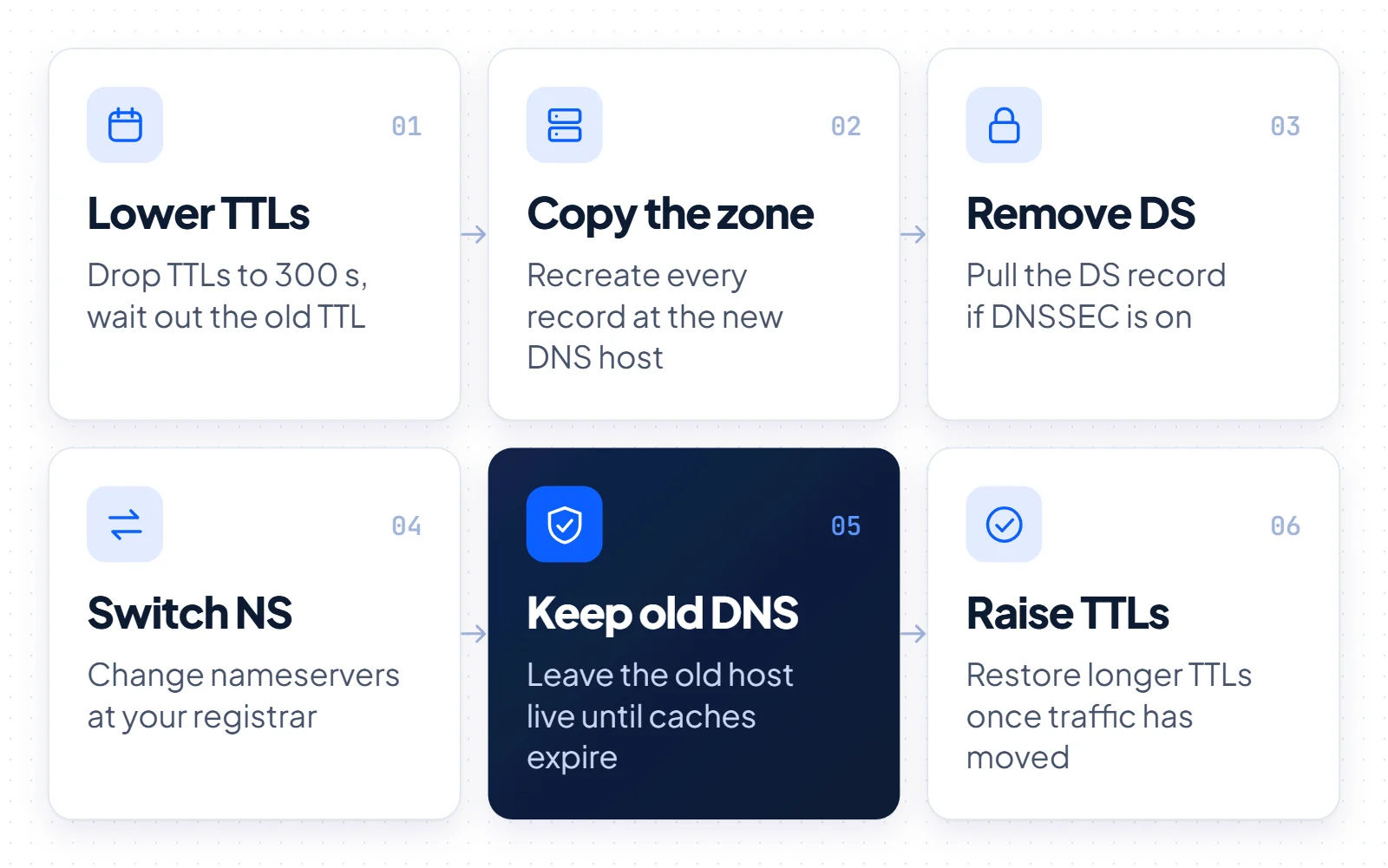
Step 5 is the one people skip. Shutting the old host early strands every visitor whose resolver still holds the old delegation.
How to check DNS propagation and clear the caches you control
Online checkers show what public resolvers in many countries have cached, so matching answers prove only that those resolvers have refreshed. For the real state, ask the servers directly, starting with your own nameserver.
dig +norecurse A www.example.si @ns1.your-dns-host.netNext, ask a TLD server which nameservers it hands out, such as b.dns.si for .si or a.gtld-servers.net for .com. The TTL in its answer shows how long resolvers may keep that delegation. On Windows, nslookup runs the same query.
dig +norecurse NS example.si @b.dns.sinslookup -norecurse -type=NS example.si b.dns.siThen compare public resolvers, whose TTL counts down to the moment each one asks again.
dig A www.example.si @8.8.8.8dig A www.example.si @1.1.1.1Can you force DNS propagation? Flush what you can
Nobody can clear other people’s caches, so nobody can force DNS propagation everywhere. You can refresh the two biggest public resolvers with Cloudflare’s 1.1.1.1 Purge Cache tool and the Google Public DNS Flush Cache tool. Google’s tool works per name and record type. After a nameserver change, flush the main domain first, since that also clears the cached delegation.
- Windows:
ipconfig /flushdns, which also discards negative entries. - Chrome: open
chrome://net-internals/#dnsand click Clear host cache. - macOS:
sudo dscacheutil -flushcache. Many guides also restart mDNSResponder withsudo killall -HUP mDNSResponder, a common practice rather than an Apple-documented step.
A local flush only affects your own device, so a colleague’s resolver may still hold an older copy.
What to expect when you buy or move a .si domain
If a .si domain already uses your DNS host, an IP or mail change settles once the old record TTLs expire. Moving a newly bought .si domain to another DNS host takes more planning. Budget for a passing Zonemaster check, up to an hour for the next zone build, 2 hours of cached delegation and the old NS TTL.
By comparison, a .com move needs about 2 days unless you lowered the NS TTLs 2 days in advance. Either way, keep both DNS hosts running until those timers pass.
Changing registrar is a separate step, covered in our domain transfer guide. A .si registrar change needs an EPP code valid for up to 16 days and leaves the registration period unchanged.
For AI teams the name matters more than the timer, since .si reads as SuperIntelligence. The 2-hour delegation TTL shortens only the registry part of a launch-day switch, and your DNS host’s TTLs still set the rest.
If your preferred name is taken, our guide on buying a taken domain explains the route. A name like netserver.si puts network and server in one word. BuySI Domains lists netserver.si for sale.