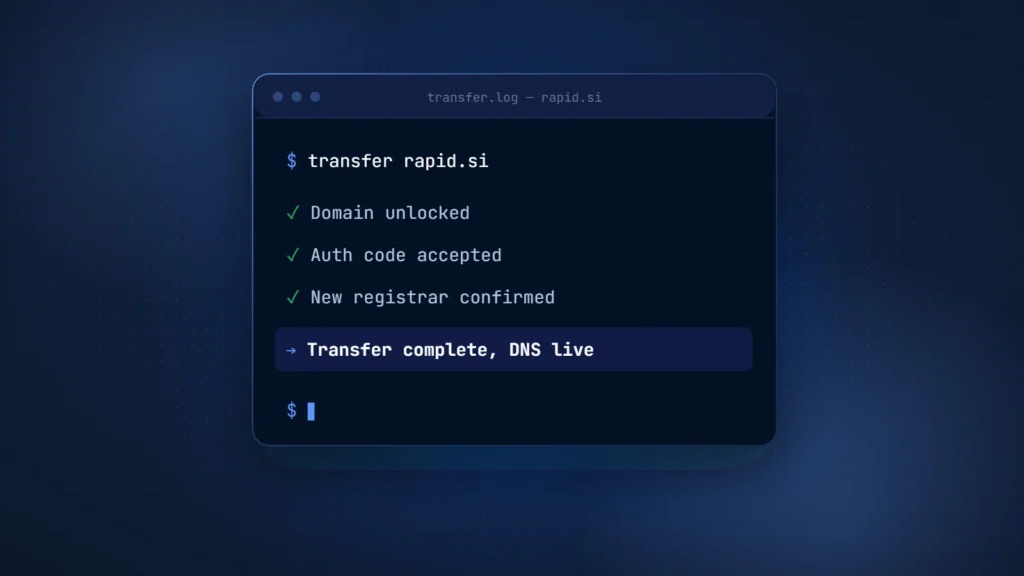
How to transfer a domain in six steps: copy your DNS records, remove the registrar lock and get the auth code (the EPP or AuthInfo code). Next, request the transfer at the new registrar, answer the confirmation request and wait. For .com and other gTLDs, the registry completes the transfer within 5 calendar days unless the current registrar rejects it.
On June 7, 2026, the ICANN Board adopted a revised Transfer Policy with shorter locks and a new name for the code. ICANN has announced no effective date, so on October 5, 2026, the current rules still govern every gTLD transfer. The steps below follow those rules and flag what will change.
Registrar transfer, owner change or DNS move: which one you need
A domain transfer moves the registration from one registrar to another. It does not change the owner, the DNS records or the hosting unless you change them separately. Three different jobs hide behind the word “transfer,” each with its own approval path and timing.
| Type of change | What changes | Who approves | Typical time |
|---|---|---|---|
| Registrar transfer | The registrar that manages the name; owner, nameservers and DNS stay as they are | The registrant, by sharing the auth code; the current registrar can reject only for listed reasons | gTLD: up to 5 calendar days at the registry. .si: within 3 working days |
| Change of registrant (owner) | The holder’s name, organization or email | gTLD: both the prior and the new registrant, through the registrar. .si: both the old and the new holder | gTLD: within one day of both confirmations, then a 60-day transfer lock unless you opted out beforehand. .si: no published deadline |
| DNS or hosting move | Nameservers or DNS records, so traffic reaches a new server | You, in the DNS provider’s control panel | Until cached answers expire, as set by each record’s TTL |
Order matters when you buy a name and then move it, since an owner change on a gTLD can lock transfers for 60 days. Our guide on how to buy a domain that is already taken explains that sequence.
Before you start: check these five things
Most checks below match a reason a registrar can, or must, refuse a transfer under the current ICANN Transfer Policy. The last two keep the confirmation request and your DNS working.
- Domain age: a registrar may deny a transfer requested within 60 days of the creation date, or within 60 days after a previous transfer.
- Recent owner changes: a change to the registrant’s name, organization or email starts a 60-day transfer lock, unless your registrar offered an opt-out.
- Contact email: the registrant email on file must work, because the losing registrar sends its confirmation request to the registrant, usually by email. Update it early if needed: on a gTLD, a new registrant email counts as a change of registrant and can start a 60-day transfer lock.
- Disputes and payment: a pending UDRP or URS case, a court order or an open transfer dispute forces a denial. Unpaid fees for a previous period permit one.
- DNS and DNSSEC: note who hosts your DNS and whether DNSSEC is on.
How to transfer a domain, step by step
The steps below follow the current ICANN Transfer Policy for gTLDs such as .com. Control panels differ, but the order stays the same.
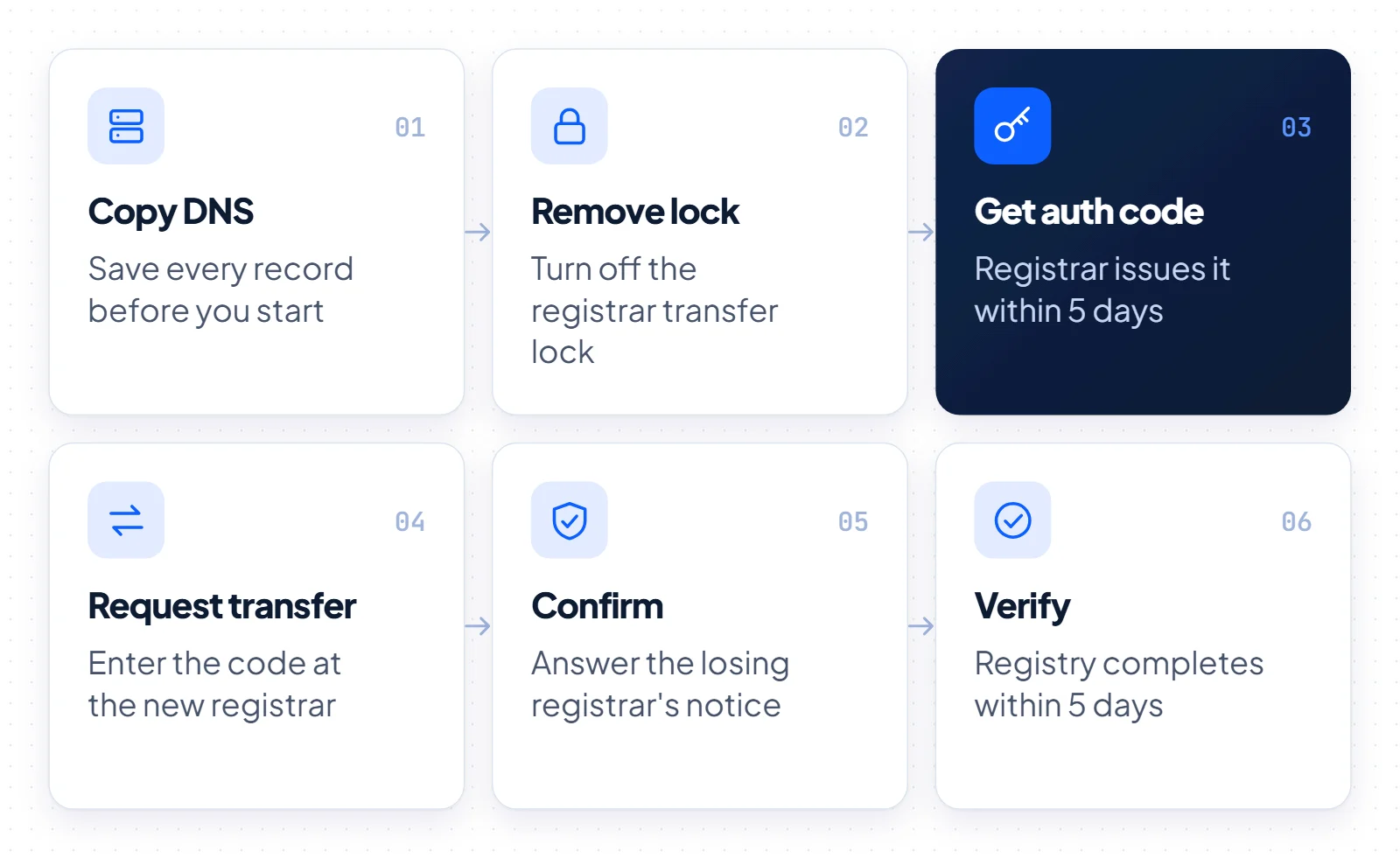
- Copy your DNS records. Save every record in the zone, or move DNS to a provider you will keep. The next section explains why this comes first.
- Remove the transfer lock. In the current registrar’s panel, turn off the registrar lock (the clientTransferProhibited status). The registrar must remove it within 5 calendar days of your request.
- Get the auth code. Ask the current registrar for the AuthInfo code, which it must provide within 5 calendar days. The ICANN registrant FAQ notes it also goes by Authorization Code or transfer code. Treat it like a password.
- Request the transfer at the new registrar. Enter the domain name and the code, then pay. The gaining registrar sends the request to the registry.
- Answer the confirmation. Within 24 hours of hearing from the registry, the losing registrar must send you a confirmation request, called the Losing FOA. It is your chance to stop a transfer you did not start.
- Wait, then verify. The registry completes the transfer unless the losing registrar rejects it within 5 calendar days, so silence counts as approval. Then check the expiry date and nameservers, and turn the lock back on.
How to keep your website and email online
A gTLD registrar transfer does not delete or replace a domain’s nameservers, because they live at the registry and move with the domain. RFC 5731 specifies that child hosts such as ns1.example.com move too. The real risk is DNS hosting at the old registrar, a separate service that can stop when you leave. ICANN’s Security and Stability Advisory Committee (SSAC) says a third-party DNS provider substantially reduces that risk.
SSAC made this point during the policy review: when the registrar also hosts your DNS, the move needs coordination to avoid a break in resolution.
- Export every record: A, AAAA, CNAME, MX and TXT, including SPF, DKIM and DMARC.
- Recreate the zone at the new DNS provider and compare it with the old one.
- Lower the TTL on key records well before any nameserver change.
- Switch nameservers before or after the transfer, never while it is pending.
- Keep the old DNS service and mailboxes active until the new setup answers correctly.
Email follows the MX records, not the registrar. If those records and SPF, DKIM and DMARC exist on the active nameservers, mail keeps flowing. Mailboxes hosted by the old registrar are a separate contract, so move them first.
A caution about DNSSEC
SSAC also warns that a DNS change without proper coordination can fail DNSSEC validation. If the old DNS operator will not cooperate on a key handover, RFC 6781 describes one path. First, have the DS record removed at the registry through your registrar and let the zone run unsigned while the nameservers change. Then add the DS record for the newly signed zone at the new operator.
How long a domain transfer takes, and what it costs
A gTLD domain transfer takes up to 5 calendar days at the registry once the new registrar submits the request, unless the losing registrar rejects it. Before that, the current registrar has up to 5 calendar days to issue the auth code. Registrars set their own transfer prices, and ICANN’s FAQ notes that some charge a fee. Non-payment of that fee is not a valid reason to deny a transfer.
A completed gTLD transfer adds one year to the registration, and the total remaining term can never exceed 10 years. One .com detail: if you transfer within the 45-day Auto-Renew Grace Period, the registry cancels the auto-renew year and credits the old registrar. The transfer year then replaces that year rather than adding to it.
Which transfer rules apply on October 5, 2026
On October 5, 2026, gTLD transfers follow the ICANN Transfer Policy updated on February 21, 2024, which registrars had to implement by August 21, 2025. The ICANN Board adopted a revised policy on June 7, 2026, but ICANN has announced no effective date. Until it takes effect, the 60-day locks and the AuthInfo code remain the rules.
The revision comes from the Transfer Policy Review, whose Final Report of February 4, 2025, contains 47 recommendations. The GNSO Council adopted it on March 12, 2025. In Resolution 2026.06.07.04, the Board directed ICANN’s CEO to implement it “subject to prioritization”, and the rationale says ICANN org will draft the policy language with an Implementation Review Team.
| Rule | Current policy (2024, in force) | Adopted revision (June 2026, not yet in force) |
|---|---|---|
| Name of the code | AuthInfo code | Transfer Authorization Code (TAC) |
| Deadline to issue the code | 5 calendar days | 120 hours, as a maximum rather than the standard |
| Lock after registration | Registrar may deny for 60 days | 30 days (720 hours) |
| Lock after a transfer | Registrar may deny for 60 days | 30 days (720 hours), can be lifted for a documented purchase |
| Lock after change of registrant | 60 days, opt-out at the registrar’s discretion | Removed |
| Losing registrar’s notice | Losing FOA; silence approves after 5 calendar days | Renamed Transfer Confirmation; silence approves after 120 hours |
The TAC would also expire 14 days (336 hours) after the registry sets it, and the revision drops the Gaining FOA. Because no date exists yet, ask your registrar which rules it applies.
How .si domain transfers work
Transfers of .si domains follow rules set by the registry, Register.si, not ICANN’s Transfer Policy. The .si extension is Slovenia’s country-code domain. For AI companies it reads as SuperIntelligence, which is our framing, not an official meaning. Our complete guide to the .si domain covers the extension in depth.
For .si domains, the Register.si registrar agreement requires the current registrar to let the holder keep the domain and switch to a new registrar, free of charge, within 3 working days of the request. Unlike a gTLD transfer, the change keeps the registration period and the expiry date as they are.
You or your current registrar set an authinfo code on the domain. You then give the code to the new registrar, which completes the transfer. Register.si’s transfer guide offers a SHA-256 calculator: the current registrar gets only the digest, the new one the plain password. Under the Register.si tariff, the registry charges registrars €0 for a change of registrar or of holder, but the new registrar may still set its own price.
A change of holder is a separate process. The current holder can start it at any time, and the registrar completes it once both the old and the new holder confirm. Under the Register.si general terms, the registration period again stays the same.
We found no lock period in Register.si’s published rules that matches ICANN’s 60-day windows. A registrar change is possible only during the registration period, and a domain in a dispute or court case is blocked from a holder change. If a domain has Registry Lock, every change except renewal stays blocked until the registrar sends a written request, which the registry verifies by phone.
How we transfer a .si domain after a sale
Every sale from the buysidomains.si portfolio follows the same sequence. The buyer pays through Escrow.com, which holds the funds instead of the seller. We provide the authinfo (EPP) code, the buyer’s registrar completes the registrar change, and a holder change records the buyer as owner. Escrow.com releases the payment once the buyer confirms control of the domain.
The portfolio lists 10 .si names at fixed aftermarket asking prices from €900 to €12,000 (buysidomains.si portfolio, October 2026), including rapid.si. For the payment step, read how domain escrow works, or see what sets the price of premium domain names.
Why a domain transfer gets rejected
Under the current policy, a registrar may reject a transfer only for listed reasons, and must reject it in a few others.
- May deny: evidence of fraud, a reasonable dispute over the registrant’s identity, non-payment for a previous period, an express objection from the registrant, or a request inside the 60-day windows.
- Must deny: a pending UDRP case, a court order, a pending transfer dispute, a URS proceeding or suspension, or an active lock after a change of registrant.
- Code rejected: request a new one. RFC 9154 recommends short-lived codes that the registry clears after a completed transfer.
- No code or no reply: if the registrar misses the 5-day deadline, use the ICANN transfer complaint form linked from the registrant FAQ.
The Transfer Dispute Resolution Policy (TDRP) is a separate route between registrars. Either registrar can file within 12 months of the alleged violation, and the outcome can order the domain returned.
Should you transfer now or wait?
Transfer now if your domain is outside the 60-day windows, you control the registrant email, and your DNS sits with an independent provider or you have copied it. A gTLD move then carries little risk, and it adds a year to the term.
Wait if the name was registered, transferred or changed owner in the last 60 days, if a dispute is open, or if your email still depends on the old registrar’s DNS. Do not plan around 30-day locks yet: as of October 5, 2026, the June 2026 revision has no effective date.
Holders of .si domains have the simplest case. The current registrar cannot charge for the change, which must finish within 3 working days and keeps the expiry date, so the main work is DNS. If you are buying a domain rather than moving your own, settle payment through escrow first and transfer second.