Knowing how to buy a domain name that is already taken comes down to one rule: only the current holder can sell it to you. The path is short on paper. Check the status, reach the holder, verify the name, agree on a price, pay through escrow and complete the transfer. Each step has a trap or two, covered below in order.
Most short, memorable names already have an owner: Verisign counted 401.6 million domain registrations at the end of Q2 2026, up 8.1% from a year earlier. The question is common too, and Ahrefs Keywords Explorer showed about 150 monthly US searches for this exact phrase on October 5, 2026. The steps below rely on ICANN, Escrow.com, WIPO and Register.si rules, not on marketplace advice.
Can you buy a domain name that is already taken?
Yes, you can buy a taken domain. A registered domain can change hands at any time, as long as the current holder agrees to sell it and transfer it to you.
“Taken” can mean four different things. The domain may run a live website, or it may show a parking page with advertising. It may carry a “for sale” banner or a listed price, or it may be close to its expiry date with nobody using it. Each situation calls for a different first move.
No one owns a domain forever. A registrant, also called the holder, registers it through a registrar for a set term and renews it periodically. The holder can move the registration to another person, but only with their consent, so nobody can force a sale. A trademark dispute is a separate legal process with its own rules and limits.
How to buy a domain name that is already taken, in short
- Check the status. Look up the registrar, the expiry date and how the holder uses the name.
- Find and contact the holder. Use the contact route in the public registration data, the parking page or a broker.
- Check the name. Search trademarks, review the domain’s history and confirm that the seller controls it.
- Decide what to offer. Use public comparable sales, your own business value and a walk-away number.
- Pay through escrow. Pay a third party, not the seller, and release funds only after the transfer.
- Transfer the domain. Move it into your account and confirm control before you accept.
Five routes to a taken domain
| Route | When it fits | Cost driver | Main risk |
|---|---|---|---|
| Buy directly from the holder | The holder replies and will consider an offer | Agreed price plus escrow fee | Overpaying, or dealing with a fake seller |
| Use a broker | You want to stay anonymous, or the holder is hard to reach | Price plus broker commission | Paying for outreach when the holder still says no |
| Wait for expiry or place a backorder | The name looks abandoned and may lapse | Backorder fee or auction price | The holder renews, or the name sells at auction first |
| Choose an alternative name | Speed or budget matters more than the exact name | Registration fee or a fixed aftermarket price | A weaker match with your brand |
| File a UDRP dispute | You hold a trademark and the holder acts in bad faith | WIPO fees from USD 1,500, plus legal costs | Losing the case, or a finding of reverse domain name hijacking |
The last row is a remedy for trademark holders who face bad-faith registrations, not a purchase route. The section on unwilling owners explains its limits.
Step 1: check the status and the expiry date
Start by finding out which registrar sponsors the domain, when it expires and what the holder does with it. Five minutes of checks tell you which route is realistic.
Search the name on ICANN Lookup. For gTLDs such as .com, the result shows the registrar, the creation date, the expiry date and status codes. Then visit the domain itself. An active business site means a sale is unlikely and the price will be high. A parking page with a “for sale” banner or an offer form means the holder wants offers. An empty page or an error may point to a forgotten name, although the holder can still renew it.
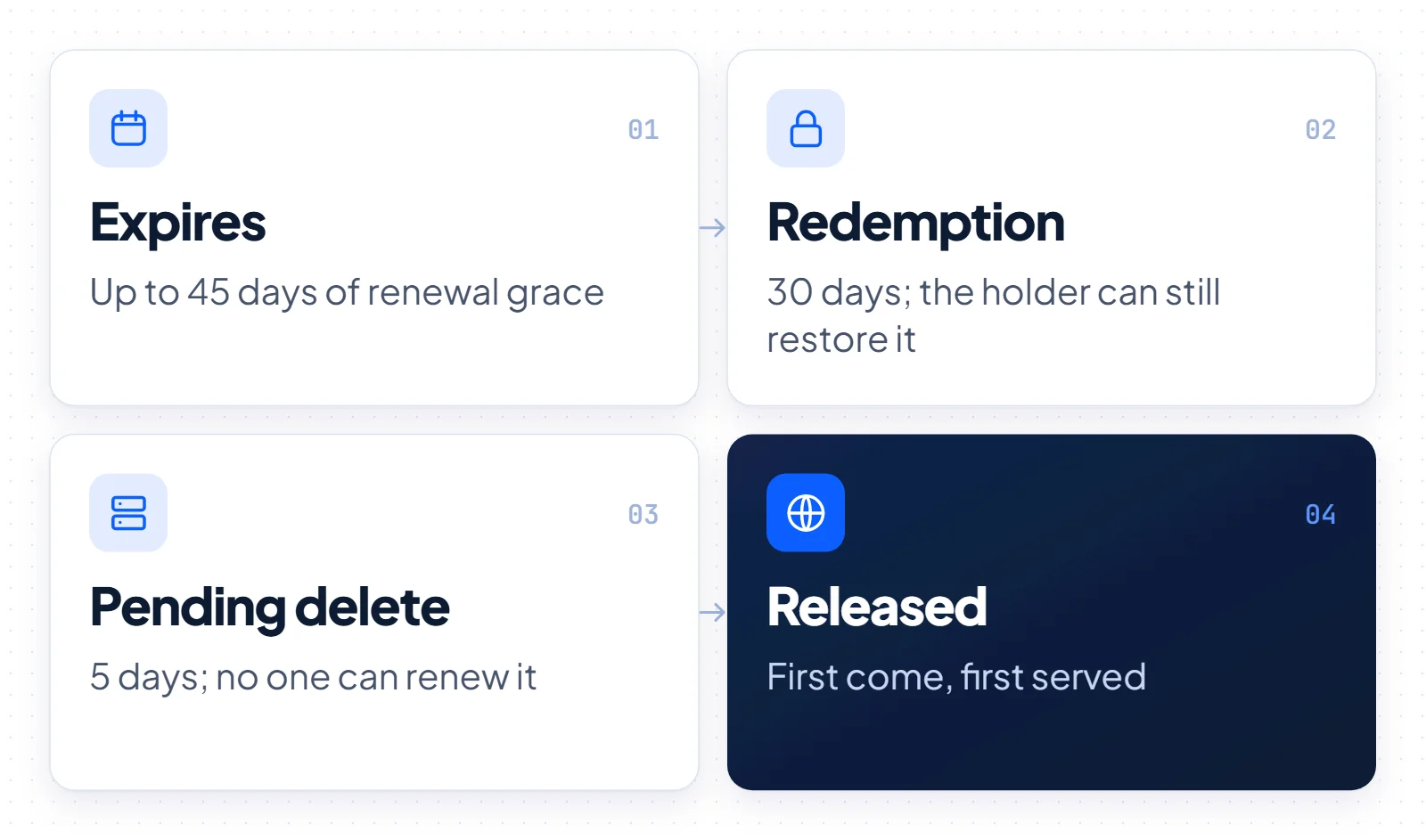
An expired gTLD domain such as a .com does not become free on its expiry date. It goes through a fixed sequence of stages before anyone else can register it. ICANN rules allow an auto-renew grace period of up to 45 days, when the holder can still renew and the registrar may auction the name. After deletion comes a 30-day Redemption Grace Period, when the old holder can restore it. The domain then sits in PendingDelete for 5 days, and after that it is released on a first-come, first-served basis. ICANN’s guide to expired registrations explains each stage.
For good names, waiting rarely works. Registrars must send the holder at least two reminders, about one month and about one week before expiry, and a holder who values the name renews it. A name with traffic or a strong dictionary word may go to auction during the grace period and never reach deletion. Expiry is a realistic route for forgotten names, not for names someone actively uses.
Country-code domains such as .ai and .si follow their own registry rules, not this ICANN timeline. Our guide to .ai domains covers that extension.
Step 2: find and contact the owner
Public records rarely show a holder’s name today, but you can still reach most holders through the contact route in the registration data, the parking page or the registrar.
To find the owner of a taken gTLD domain, use the same ICANN Lookup search, which queries RDAP. RDAP replaced WHOIS as the definitive source for gTLD registration data on January 28, 2025, according to ICANN’s RDAP announcement. Registrars usually redact personal details. Under ICANN’s Registration Data Policy, in effect since August 21, 2025, they must still publish an email address or a web form for contacting the registrant.
Redaction became the norm after the GDPR took effect in May 2018. ICANN also operates the Registration Data Request Service (RDRS), which routes requests for non-public data to registrars in cases of legitimate interest, such as a legal claim. Registrar participation is voluntary, disclosure is not guaranteed, and the service is not a shortcut for buyers.
Other contact points often work better. A parking page may have a “make an offer” form, a live site usually has a contact page, and a privacy or proxy service forwards email to the real holder.
How to write the first message
- Name the domain in the subject line and keep the email short.
- Ask whether the holder would consider an offer. Do not name your budget first.
- Say who you are only if you are happy for that to shape the price.
- Avoid legal threats. A vague trademark claim can end the talk before it starts.
- Follow up once or twice over a few weeks, then move to another route.
Stay anonymous or use your name
A well-known company name can raise the asking price. A personal email address or a broker keeps you anonymous, at the cost of commission or slower negotiations. If your company has funding or press coverage, anonymity usually pays for itself, while a small team buying a modest name can simply write directly.
Step 3: check the name before you make an offer
Before you talk about money, check three things: trademarks, the domain’s history and whether the seller actually controls the name. Each check protects you from paying for a problem.
Search the exact term in USPTO Trademark Search and in EUIPO eSearch plus, then look at the classes that cover your business. A domain that matches someone else’s mark can bring a dispute after you pay, so for borderline cases ask a trademark lawyer before you sign anything.
Next, look at what the domain did before. Search the name in quotes, read any old content you can find and check whether it hosted spam or adult material. A bad history can hurt email delivery and search visibility for a while.
Finally, ask the seller to prove control, for example by adding a DNS text record that you choose. Where the registration data shows an organization, that organization should match the seller.
Scam patterns to spot early
- Paid appraisals. A fake buyer offers an inflated price for one of your own domains, then asks you to pay for an “appraisal” or “certificate” first.
- Lookalike escrow sites. A seller sends a link to an escrow site that copies the design of a real one, often on a similar domain.
- Direct payment requests. A seller asks for a bank wire “to save the escrow fee”.
- Pressure. A seller claims another buyer will close today unless you pay now.
Step 4: decide what to offer
Your offer should rest on public comparable sales, the name’s value to your business and a walk-away number you set in advance. Asking prices and automated appraisals do not prove value.
- Find comparable sales. Look for reported sales with a similar length, extension and word type from recent years.
- Set a business ceiling. Estimate what the exact name saves you: rebrand work, lost type-in visitors and confusion with another company.
- Add running costs. Count yearly renewal fees, the escrow fee and any transfer fee.
- Fix your walk-away number. Write it down before the first offer and stick to it.
Some reported sales make headlines. The Register reported that Voice.com sold for $30 million in 2019, and Fortune reported that Dharmesh Shah paid $15.5 million for Chat.com in 2023. OpenAI later acquired Chat.com at an undisclosed price. These deals are outliers that tell you nothing about the price of a typical name, and no sale proves that any domain will gain value.
Open well below your ceiling and expect a counteroffer. Once you agree, put the terms in writing, including the price, currency, escrow service, fee payer, transfer method and deadline.
Step 5: pay through domain escrow
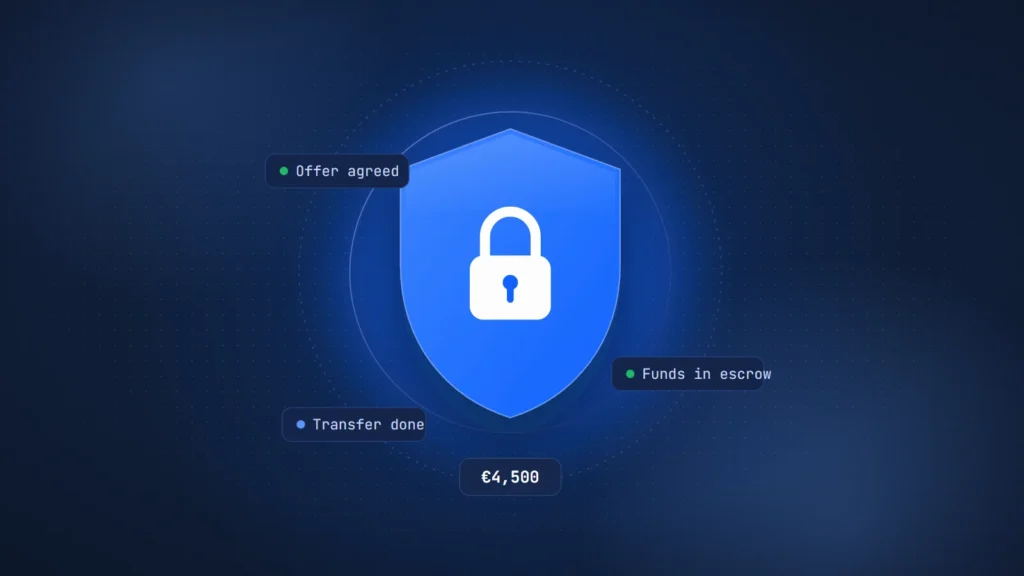
Pay through an established escrow service so neither side has to trust the other with the money first. The seller gets paid only after the buyer accepts the domain or the agreed inspection period ends without a rejection.
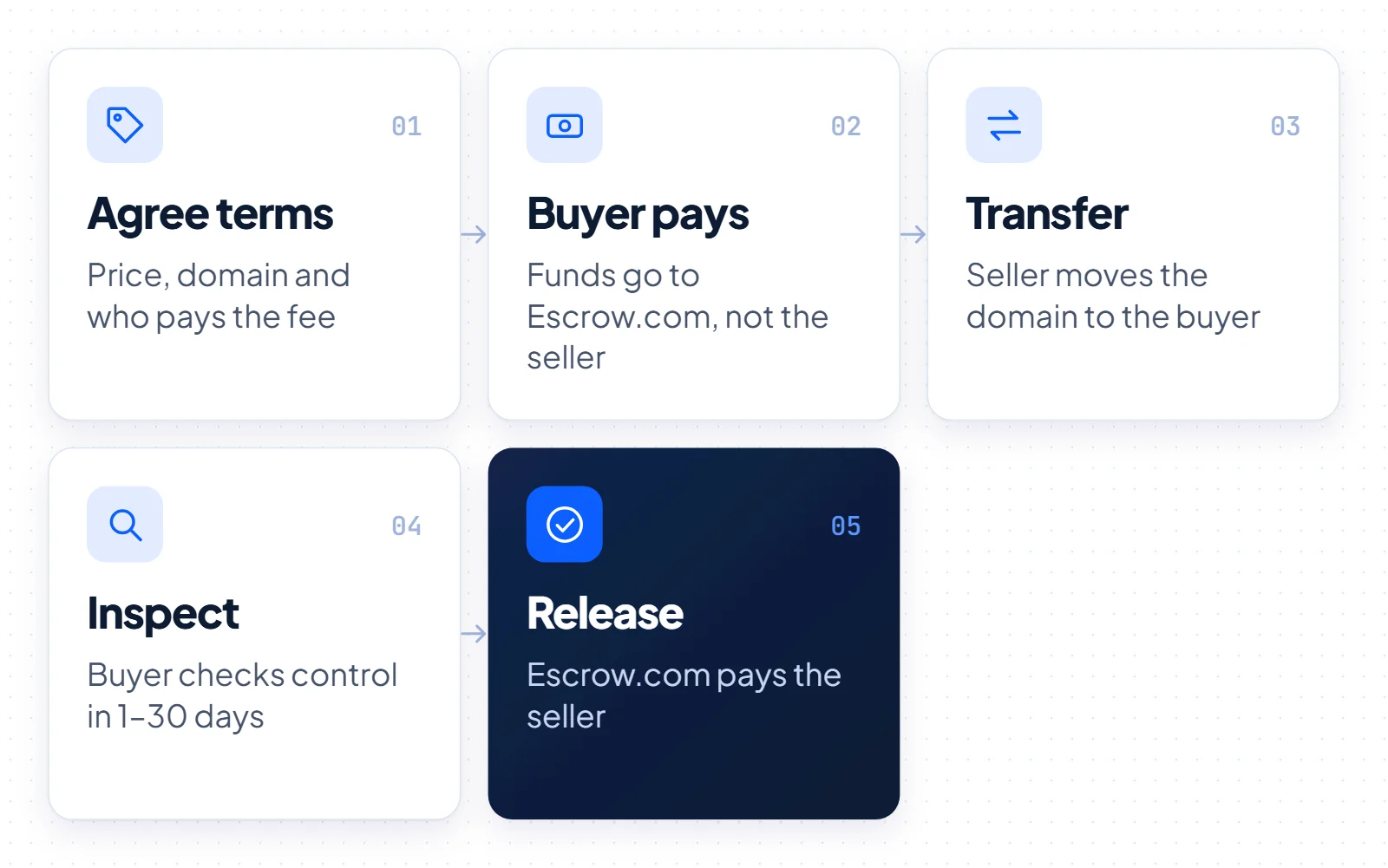
Escrow.com runs a domain sale in five steps, as its guide to domain escrow describes. Buyer and seller agree on the terms. The buyer pays Escrow.com, not the seller. The seller transfers the domain. The buyer then checks it during an inspection period of 1–30 calendar days and accepts or rejects it. Escrow.com pays the seller after acceptance. On October 5, 2026, the standard fee was 2.6% (minimum $50) for deals up to $5,000.
Before it pays the seller, Escrow.com checks that the registration data shows the buyer as the new holder. If you accept early, the funds reach the seller sooner. The table below shows the first four fee tiers for the standard service.
| Transaction amount (USD) | Fee, checked October 5, 2026 | Minimum fee |
|---|---|---|
| $0–$5,000 | 2.6% | $50 |
| $5,000.01–$50,000 | 2.4% | $130 |
| $50,000.01–$200,000 | 1.9% | $1,200 |
| $200,000.01–$500,000 | 1.5% | $3,800 |
We calculated the three examples below from this table. They are an illustration in USD, not a quote.
| Deal size | Rate | Escrow fee (our calculation) |
|---|---|---|
| $2,000 | 2.6% | $52, just above the $50 minimum |
| $4,500 | 2.6% | $117 |
| $12,000 | 2.4% | $288 |
The buyer and the seller agree on who pays the fee: one side can pay all of it, or both can split it 50/50. If the buyer rejects the domain or cancels after paying, Escrow.com charges the buyer the full fee. Settle this in the written terms before anyone opens the escrow transaction.
Red flags at the payment stage
- The seller refuses escrow or asks for a direct transfer of money.
- The seller pushes an escrow site you do not know, or one that copies the look of a well-known service.
- Emails come from an address that looks close to, but not the same as, the escrow service.
- The payment details change in the middle of the deal.
Step 6: transfer the domain to your account
The seller either moves the domain into your account at the same registrar or gives you an authorization code to move it to your own registrar. Either way, you confirm control before you accept it in escrow.
A change of registrant keeps the domain at the same registrar and puts your details on it, while a change of registrar moves it to a registrar you choose. For that second option, the seller requests the AuthInfo code, also called the EPP or auth code, and passes it to you.
ICANN’s current Transfer Policy for gTLDs sets three rules for moving a domain. A registrar must provide the AuthInfo code within 5 calendar days of the request. A registrar may deny a transfer to another registrar within 60 days of the creation date or of a previous transfer. After a change of registrant, the registrar must apply a 60-day inter-registrar transfer lock, unless the holder opted out beforehand.
These rules come from the ICANN Transfer Policy as it stands today. In June 2026 the ICANN Board adopted recommendations for shorter 30-day locks and no transfer lock after a change of registrant. Until ICANN implements them, the existing rules still apply, so check with your registrar. If you want the name at your own registrar, the order matters: ask for the auth code first, move the domain, and then update the holder details there.
Transfers of .si domains
.si is Slovenia’s country-code domain. For AI companies it reads as SuperIntelligence. The ICANN 60-day locks do not apply to .si domains. Under the Register.si general terms, a registrar carries out the transfer when both the former and the future holder agree.
For a change of registrar, the authinfo code stays valid until its first use or for at most 16 days. That limit comes from Register.si’s guidance on holder and registrar changes (in Slovenian). An expired .si domain enters quarantine for up to 30 days. After that, the registry deletes it and anyone can register it again.
Our .si domain guide covers the extension in more detail.
Before you accept in escrow, log in to your registrar account and check that the domain appears there. Look it up again to confirm that it lists your registrar, and point the DNS to your own servers. Only then accept the domain, so the escrow service can pay the seller.
What to do if the domain name is taken and the owner will not sell
If the holder says no or never replies, you cannot force a sale, but you can wait, change the name, or buy a different name that is already for sale.
Wait and watch. Track the expiry date and place a backorder with a service that tries to register the name when it drops. For an active name the odds are low, so keep a second option ready.
Change the name. Add a short word such as “get”, “try” or “hq”, or pick another extension, and run the trademark checks again for the new version.
Buy a fixed-price name. Some aftermarket names carry a listed price and a set transfer process, which removes the negotiation. Disclosure: buysidomains.si sells .si domains at fixed prices, and the details below describe our own process. In October 2026, our portfolio held 10 .si domains priced from €900 to €12,000. The buyer pays through Escrow.com, and we then hand over the EPP or authinfo code or change the holder at the registrar. The buyer confirms control, and Escrow.com releases the funds. rapid.si, listed at €12,000, is one example, and you can browse all .si domains for sale.
UDRP is not a way to buy a domain
The UDRP is a dispute procedure that lets trademark holders challenge bad-faith registrations. A complainant must prove three elements. First, the domain is identical or confusingly similar to its mark. Second, the holder has no rights or legitimate interests in it. Third, the holder registered and uses the domain in bad faith. WIPO fees for 1–5 domains are USD 1,500 with a single panelist or USD 4,000 with three. Cases normally end within 2 months, and panels cannot award money damages or lawyers’ costs.
WIPO handled over 6,200 domain name cases in 2025, its highest caseload on record. A complaint brought in bad faith, for example to take a name you failed to buy, can end in a finding of reverse domain name hijacking. The WIPO guide to the UDRP sets out the rules. Disputes over .si domains go to ARDS at Register.si, where the fee for 1–5 domains with a single arbiter is €700 including VAT.
Which route fits you
Pick the route by how much the exact name matters to you and how much time you have, using the situations below as a guide.
- The name matches your brand and sits on a parking page. Contact the holder directly or through a broker, set a walk-away number and pay through escrow.
- The holder runs a real business on it. Expect a refusal or a high price. Work on a modifier or another extension in parallel.
- The name looks abandoned and expires soon. Watch the status and place a backorder, but plan for the holder to renew.
- You own a trademark and the holder targets it in bad faith. Talk to a trademark lawyer about the UDRP. Do not use it as a pricing tool.
- You launch soon on a fixed budget. A name with a listed price and a clear transfer process removes most of the waiting.
Your next step takes five minutes: look up the domain, note the expiry date and the contact route, and write down your walk-away number before you send the first email. If the exact name stays out of reach, compare fixed-price alternatives, including our own short .si names on the buysidomains.si homepage.