A custom email domain lets you use an address on a domain you own, such as you@yourcompany.si, instead of a Gmail or Outlook address. To run one, you need a mail provider plus four DNS records: MX, SPF, DKIM and DMARC. A brand-new domain also needs a slow warm-up before it sends mail in volume.
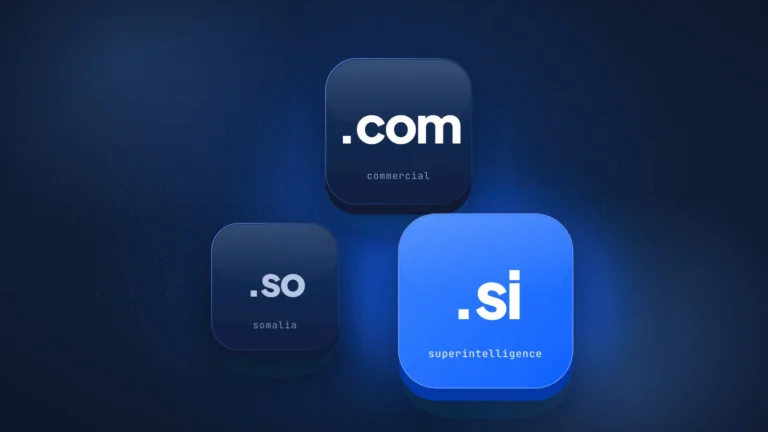
.si is Slovenia’s country-code domain. For AI companies it reads as SuperIntelligence. Most new .si names we checked skip the setup above. On October 19, 2026, we checked DNS for .si names drawn from word lists. Of 170 registered since September 19, 2026, only 3 pointed MX at a separate mail or forwarding service, 5 published DMARC and 7 used DNSSEC. Among 283 common-word .si names, almost all registered before that date, 26% publish DMARC and only 7% enforce it. This guide covers setup on any domain, plus the registry detail that is specific to .si.
What a custom email domain is and what it costs
A custom email domain costs $0 to $8.40 per user per month on the plans below. The price depends on the provider, the billing term and whether you need full mailboxes or only forwarding. The domain itself is a separate cost that you pay your registrar.
The setup has three parts. Your registrar holds the domain, a mail provider runs the mailboxes, and DNS records connect the two. Because the address lives on your domain, you can change provider later by updating those records, and your address stays the same.
| Provider and plan | Price (checked October 19, 2026, excl. tax) | Free? | Sends or forwards only | Domains and addresses |
|---|---|---|---|---|
| Google Workspace Business Starter | $7 per user/month on an annual plan; $8.40 flexible | 14-day trial | Sends and receives | Billed per user mailbox |
| Microsoft 365 Business Basic | About $7 per user/month on an annual plan | 1-month trial | Sends and receives | Billed per user mailbox |
| Zoho Mail Forever Free | $0 | Yes, up to 5 users | Sends and receives; no IMAP or POP | 1 domain, 5 GB per user; only in some regions |
| Proton Mail Plus | $3.99/month on 12-month billing | No; the free plan has no custom domain | Sends and receives | 1 custom domain |
| iCloud+ (personal use) | From $0.99/month (US) | No | Sends and receives | Up to 5 domains, 10 addresses each |
| Fastmail Individual | €5/month on a yearly plan | Trial of up to 30 days | Sends and receives | The €3 Basic plan has no custom domain |
| Cloudflare Email Routing | $0 | Yes | Forwards incoming mail only | 200 routing rules per domain; needs Cloudflare DNS |
Two differences count for more than price. Forwarding services such as Cloudflare Email Routing pass incoming mail to an inbox you already have, and sending from the custom address needs a separate product. A free custom email domain is possible, but it carries limits. Zoho’s free tier allows one domain, has no IMAP or POP access and is offered only in some regions.
Fit is the other question. iCloud+ is built for personal use, not team mail. For a company with several people, a per-user suite gives one admin control over accounts. For a solo founder, a free or low-cost plan is often enough to start.
How to create a custom domain email address, step by step
You create a custom domain email address by signing up with a mail provider, proving you own the domain and adding four records at your DNS host. The example values below are Google Workspace’s; other providers publish their own values in their help pages.
- Pick a provider and create your first address. Use the table above: decide whether you need to send, how many users you have and what you want to pay. Sign up and create the first mailbox or forwarding address, such as you@example.si.
- Verify the domain. The provider gives you a record, usually TXT, that proves you control the domain. Add it at your DNS host, which is often your registrar.
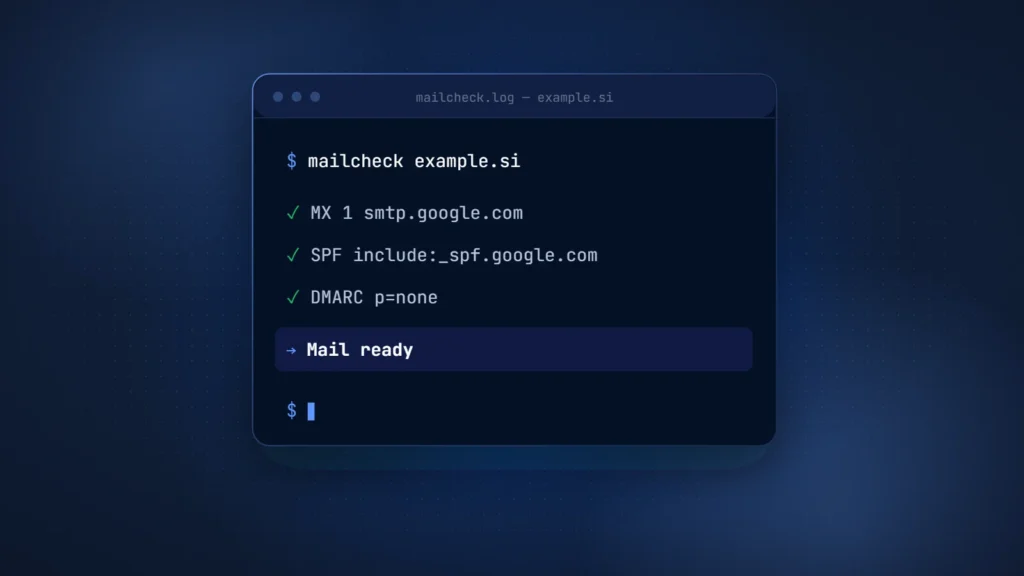
- Add the MX record. MX tells other servers where to deliver your mail. For Google Workspace, the value is smtp.google.com with priority 1, according to Google’s MX setup guide. Older setups with aspmx values don’t need to change if mail already works. Remove any other MX records your registrar added by default, so mail has one destination.
- Add SPF. SPF lists the servers allowed to send for your domain. Google’s value for Workspace-only sending is v=spf1 include:_spf.google.com ~all. Watch the limit: RFC 7208 caps DNS-lookup terms such as include, a, mx and redirect at 10, and going over returns a permanent error (permerror), so SPF no longer passes.
- Turn on DKIM. DKIM signs each message with a key you publish in DNS. In Google Workspace you generate the key in the Admin console, add it as a TXT record at your DNS host, then return to the console and click Start authentication. The default selector is google, so the record sits at google._domainkey. Use a 2048-bit key if your DNS host supports it.
- Add DMARC at p=none. DMARC tells receivers what to do with mail that fails authentication and where to send reports. Google’s DMARC guide says to allow 48 hours after setting up SPF and DKIM, start at p=none, then move toward quarantine or reject.
- Test. Send mail to and from an outside account. Open the message headers and check for spf=pass, dkim=pass and dmarc=pass.
For a domain on Google Workspace, the finished records look like this (the DKIM key is shortened):
example.si.                    MX   1 smtp.google.com.
example.si.                    TXT  "v=spf1 include:_spf.google.com ~all"
google._domainkey.example.si.  TXT  "v=DKIM1; k=rsa; p=MIIBIjAN...(key from the Admin console)"
_dmarc.example.si.             TXT  "v=DMARC1; p=none; rua=mailto:dmarc@example.si"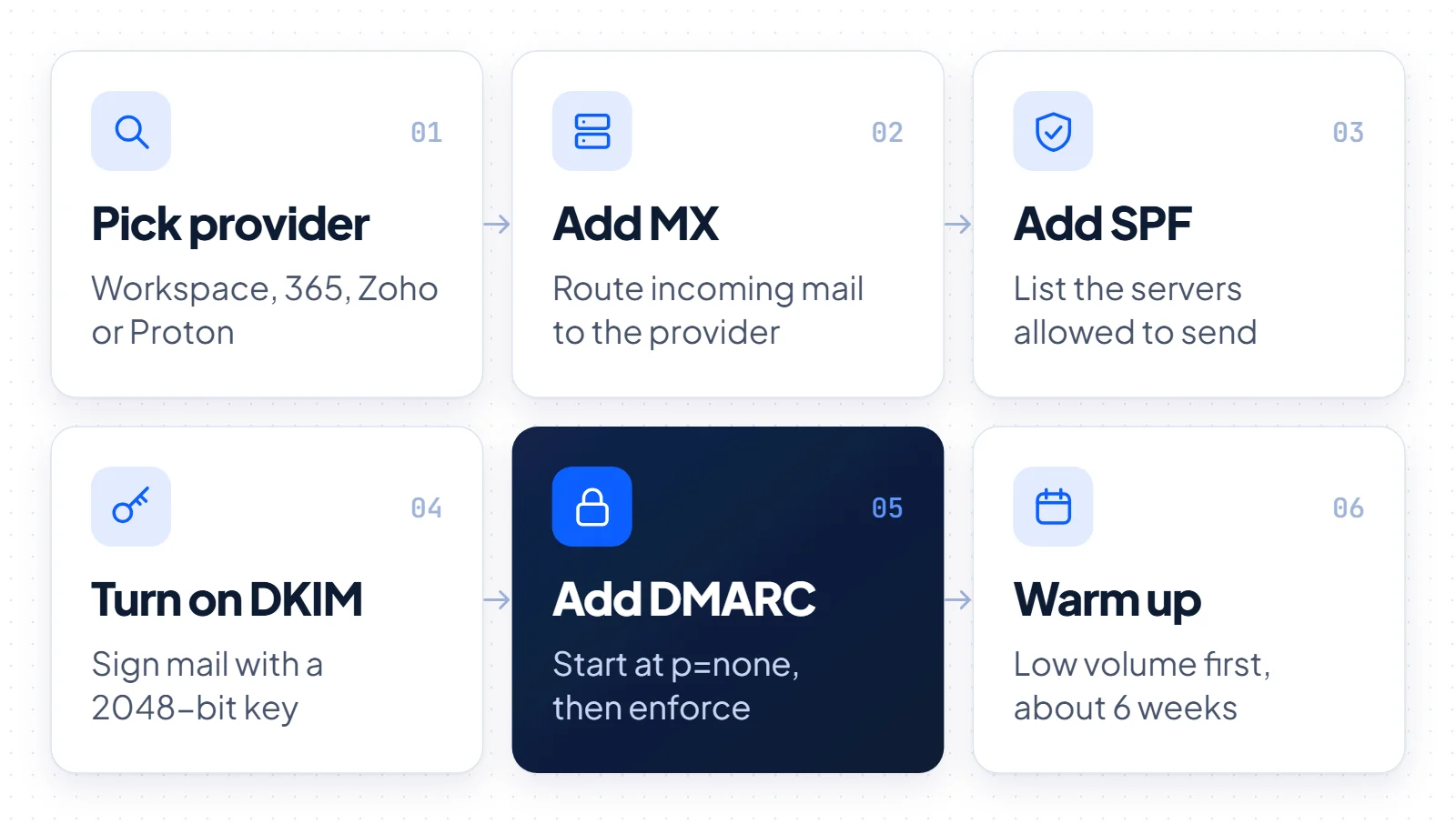
The order is deliberate. MX comes first, so mail arrives. SPF and DKIM come next, so your mail authenticates. DMARC goes last, because a strict policy published before SPF and DKIM pass can push your own messages into spam.
Why new domains land in spam, and how to warm one up
New domains land in spam because mailbox providers have no history to judge them by. M3AAWG’s Sender Best Common Practices, updated in August 2026, says a newly registered domain’s reputation usually starts as unknown. Receivers treat an unknown reputation much like a bad one. The guide treats 6 weeks as an average warm-up.
The fix is an email domain warm-up: slow, steady growth in volume. M3AAWG advises starting low and slow and spreading messages out over time. It also warns that artificial warming practices are not recommended and may be illegal. Google gives the same advice: start with a low volume to engaged users, grow slowly and avoid sudden spikes.
Google adds that consistent volume is particularly important for new domains. If Gmail defers your mail, its sender troubleshooting page describes a common daily increase of 25% to 100% once you resume, depending on various factors. In practice, a new company domain should carry normal one-to-one mail first. Newsletters and cold campaigns can follow, in small batches to people who expect them.
The big mailbox providers also set hard rules:
- Gmail. Since February 1, 2024, Google’s sender guidelines require SPF or DKIM, a TLS connection and a spam rate below 0.3% in Postmaster Tools. Above 5,000 messages a day, you need SPF, DKIM and DMARC (p=none is allowed), From alignment and one-click unsubscribe for marketing mail.
- Yahoo. Yahoo asks all senders for SPF or DKIM and a spam rate below 0.3%. Bulk senders need SPF and DKIM, a valid DMARC policy of at least p=none, and must honor unsubscribes within 2 days.
- Outlook.com. Since May 5, 2025, Microsoft’s postmaster policies require domains sending more than 5,000 emails a day to Outlook.com to comply with SPF, DKIM and DMARC. Microsoft asks for at least p=none, recommends p=reject, and sends non-compliant mail to junk or may reject it.
That makes DMARC for a new domain a baseline, not an extra. The standard has also moved on: RFC 9989, published in May 2026, is now the DMARC standard and obsoletes RFC 7489. The provider guidance above still uses the familiar policy values none, quarantine and reject.
What we found checking .si domains
Most of the newly registered .si names in our sample are not set up for email. Of 170 names registered since September 19, 2026, only 3 point MX at a separate mail or forwarding service. The 283 older common-word .si names do better on the basics, but only 7% of them enforce DMARC.
Method: on October 19, 2026, we queried the official Register.si RDAP service for registration dates and registrars. We then read MX, SPF, DMARC and DS (DNSSEC) records through public DNS over HTTPS (Cloudflare resolver) and loaded each site.
Sample A is 283 common English and AI words as .si names, such as agent.si, cloud.si and data.si. For sample B, we started with 258 AI-style combinations such as brainai.si and superjob.si. Of these, 235 are registered; the 170 created on or after September 19, 2026 make up sample B. Both samples come from word lists we chose, not a random draw of all .si names, so they show patterns rather than registry-wide rates.
| Record | Sample A: 283 common-word names (281 registered before September 19, 2026) | Sample B: 170 names registered since September 19, 2026 |
|---|---|---|
| MX record present (excluding null MX) | 174 (61%) | 14 (8%) |
| MX naming a separate mail or forwarding service | Not measured | 3 (2%) |
| SPF published | 173 (61%) | 40 (24%) |
| SPF ending in -all | 102 (36%) | 37 (22%) |
| DMARC published | 73 (26%) | 5 (3%) |
| DMARC enforcing (quarantine or reject) | 20 (7%) | 2 (1%) |
| DNSSEC (DS record at the registry) | 4 (1.4%) | 7 (4%) |
| Null MX (MX 0 “.”) | 4 (1.4%) | 27 (16%) |
Source: buysidomains.si check of Register.si RDAP and public DNS, October 19, 2026.
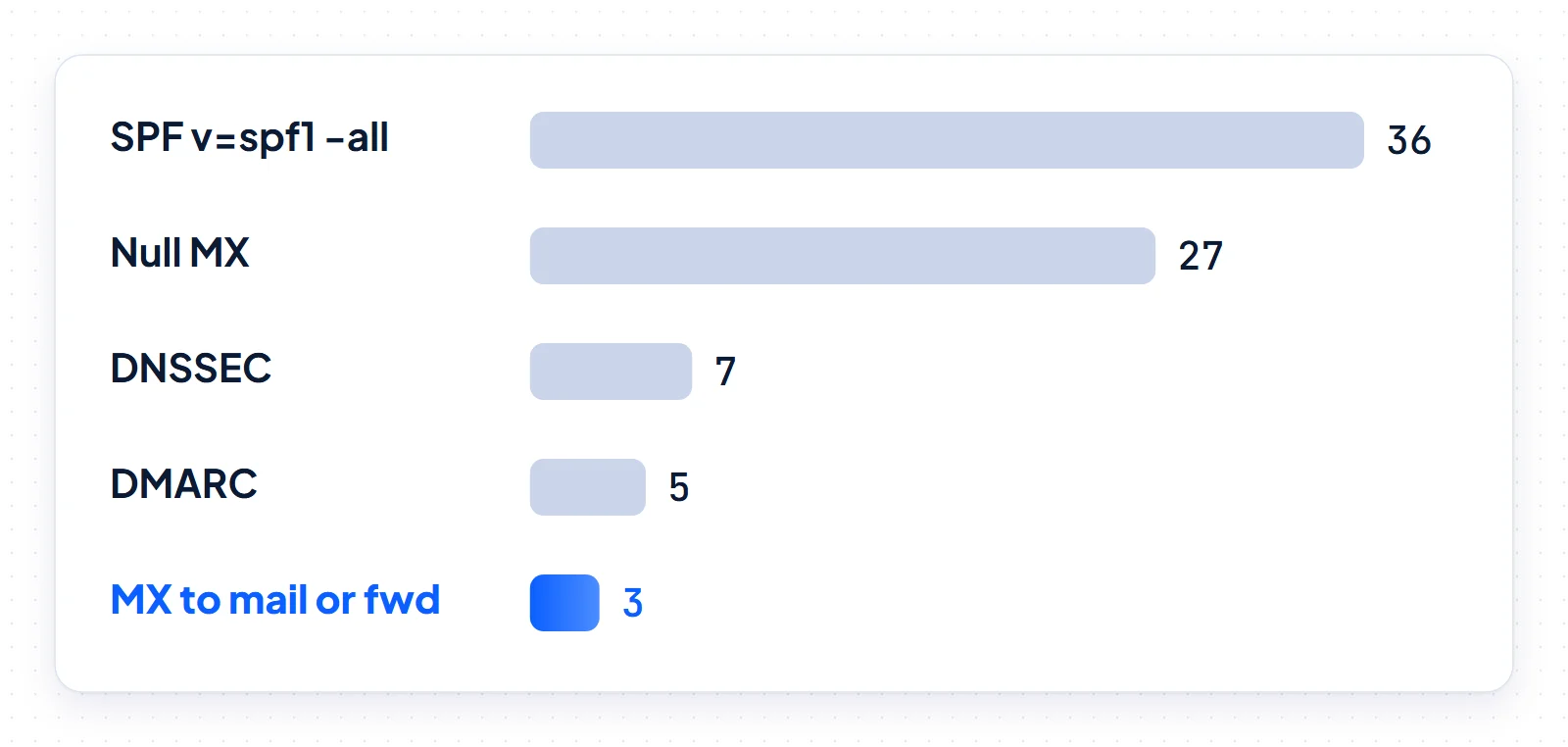
Of the 14 MX records in sample B, seven point to localhost and one to an empty hostname, so those can’t receive mail. Three name the domain itself and depend on whatever runs on its web host; on October 19, one of those hosts (playai.si) answered as a mail server. Only three name a separate mail or forwarding service, and two of those are a registrar’s email-forwarding servers. Many of these names are speculative holdings, so missing mail is expected.
The useful signal is the locked-down minority. In sample B, 36 names publish the SPF record v=spf1 -all, which tells receivers the domain sends no mail. Of those, 27 also publish a null MX, which says it receives none. That is the right setup for a domain you hold but don’t use for email, and it pairs well with a 301 domain redirect to your main site.
In sample A, the gap is enforcement. A DMARC record at p=none collects reports but does not stop spoofed mail, and only 20 of 283 names ask receivers to quarantine or reject. DNSSEC is almost absent at 1.4%. Two more caveats: DNS records change, and an MX record does not prove a working mailbox.
Email on a .si domain: the registry detail founders miss
On a .si domain, the registrant email is the address the registry process relies on to reach you. Since July 1, 2026, a missed verification request can take your website and mail offline, so keep that address on a different, working domain.
The address is also visible. Register.si’s data policy says that for individual holders, only the contact email address appears in the public database. For a solo founder, the registrant email is public, and it is where registry requests arrive.
A .si domain is suspended if its registrant does not complete a flagged verification within 21 days. According to registrar OpenSRS’s .si documentation, the .si registry has run risk assessments on registrant contact data since July 1, 2026, under the EU’s NIS 2 Directive. If a flagged registrant does not verify in time, all domains on that contact are suspended with serverHold: they stop resolving and associated services stop working. OpenSRS notes that the domains are not deleted.
Register.si describes the same mechanism in a column on abuse prevention. The registry may ask a holder to correct, complete or prove its data. If the holder doesn’t, the registry deactivates the domain by removing its name servers, and both the website and email stop working.
Three habits prevent this:
- Set the registrant email on a domain other than the new .si, such as an existing company domain or a mailbox you check daily. A verification request then can’t get lost while the new mail setup is unfinished.
- Keep holder data accurate and complete, so it holds up if the registry asks for proof.
- Track renewal dates alongside contact data. Our domain renewal guide covers the rest, and our .si domain guide explains how the extension works.
Lock down the domains you don’t use for email
Every domain you own but don’t use for email should say so in DNS. It needs three records: a null MX, an SPF record that allows no senders and a DMARC policy of reject. Without them, receivers get no clear signal that mail claiming to come from that domain is fake.
example-spare.si.          MX   0 .
example-spare.si.          TXT  "v=spf1 -all"
_dmarc.example-spare.si.   TXT  "v=DMARC1; p=reject"
The null MX format comes from RFC 7505. Use these records on defensive registrations, old brand names and typo variants; our typosquatting guide explains why brands hold those. If the spare domain should send visitors to your main site, set up a permanent web redirect too, and leave mail locked.
Which setup to choose next
Choose by team size and sending plans, then add authentication in the first week and warm up before any campaign.
- A team, or a team soon: choose a per-user suite with central admin control, such as Google Workspace or Microsoft 365, at about $7 per user per month on annual plans as of October 19, 2026. One admin managing all accounts is worth a per-user fee once several people share a domain.
- A solo founder testing an idea: a free or forwarding-only option from the table can be enough to start. Zoho Mail Forever Free works where it’s offered, and Cloudflare Email Routing can forward to an inbox you already use. Move to a paid plan before you send in volume.
- Everyone: publish DMARC at p=none 48 hours after SPF and DKIM work, read the reports, then move to quarantine or reject.
- Before a launch or newsletter: give a new domain about 6 weeks of steady, growing volume, as M3AAWG suggests.
- On a .si: put the registrant email on another working domain and keep holder data accurate, so a verification request can’t take your mail down.
If you are still picking the name, our guide to choosing a domain name covers what makes an address easy to say and type. buysidomains.si sells .si domain names and does not sell email services.