An EPP code is the password that lets a domain move from one registrar to another. Also called an auth code or AuthInfo code, it comes from the Extensible Provisioning Protocol (EPP), the standard registrars use to talk to registries. Your current registrar issues it, and the new registrar must present it to complete the domain transfer.
The rules around the code are changing. On June 7, 2026, the ICANN Board adopted recommendations that rename the code and cap its life, though ICANN had announced no effective date by October 5, 2026. The phrase “epp code” gets about 200 searches a month in the US and 1,300 worldwide (Ahrefs, October 5, 2026).
EPP code vs EPP status codes
An EPP code and an EPP status code are different things. The code is a secret password tied to one domain, while status codes are public flags that describe what a registration can and cannot do.
The code is the authorization information that RFC 5731, the EPP domain mapping standard, attaches to domain objects to make transfers possible. The same standard defines status codes, and ICANN’s EPP status codes page explains them for domain holders. The key flag here, clientTransferProhibited, tells the registry to reject any transfer away from your current registrar.
| Aspect | EPP code (auth code) | EPP status codes |
|---|---|---|
| What it is | A password (authorization information) for one domain | Flags that show the state of a domain registration |
| Who sees it | The holder, the current registrar, the new registrar and the registry, which checks it | Anyone: status codes are public |
| Example | A random string generated for a single domain | clientTransferProhibited, pendingTransfer |
| Where defined | RFC 5731 (domain:authInfo element); ICANN Transfer Policy (AuthInfo code) | RFC 5731; explained on ICANN’s EPP status codes page |
| Role in a transfer | Proves the holder approved the transfer | clientTransferProhibited blocks the transfer until it is removed |
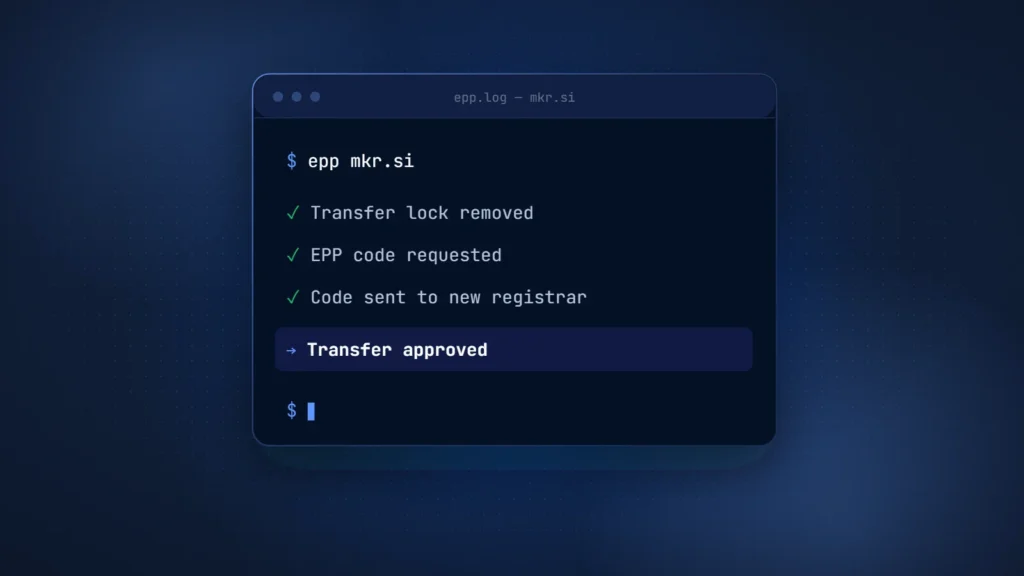
In practice a transfer needs both: the lock flag removed and the code in hand. A valid code cannot move a domain that still carries clientTransferProhibited, and removing the lock alone does not start a transfer.
How to get your EPP code
You get your EPP code from the registrar that manages the domain today, usually in the domain’s settings. Under the ICANN Transfer Policy, a registrar must hand it over within 5 calendar days of your request if it does not let you generate the code yourself.
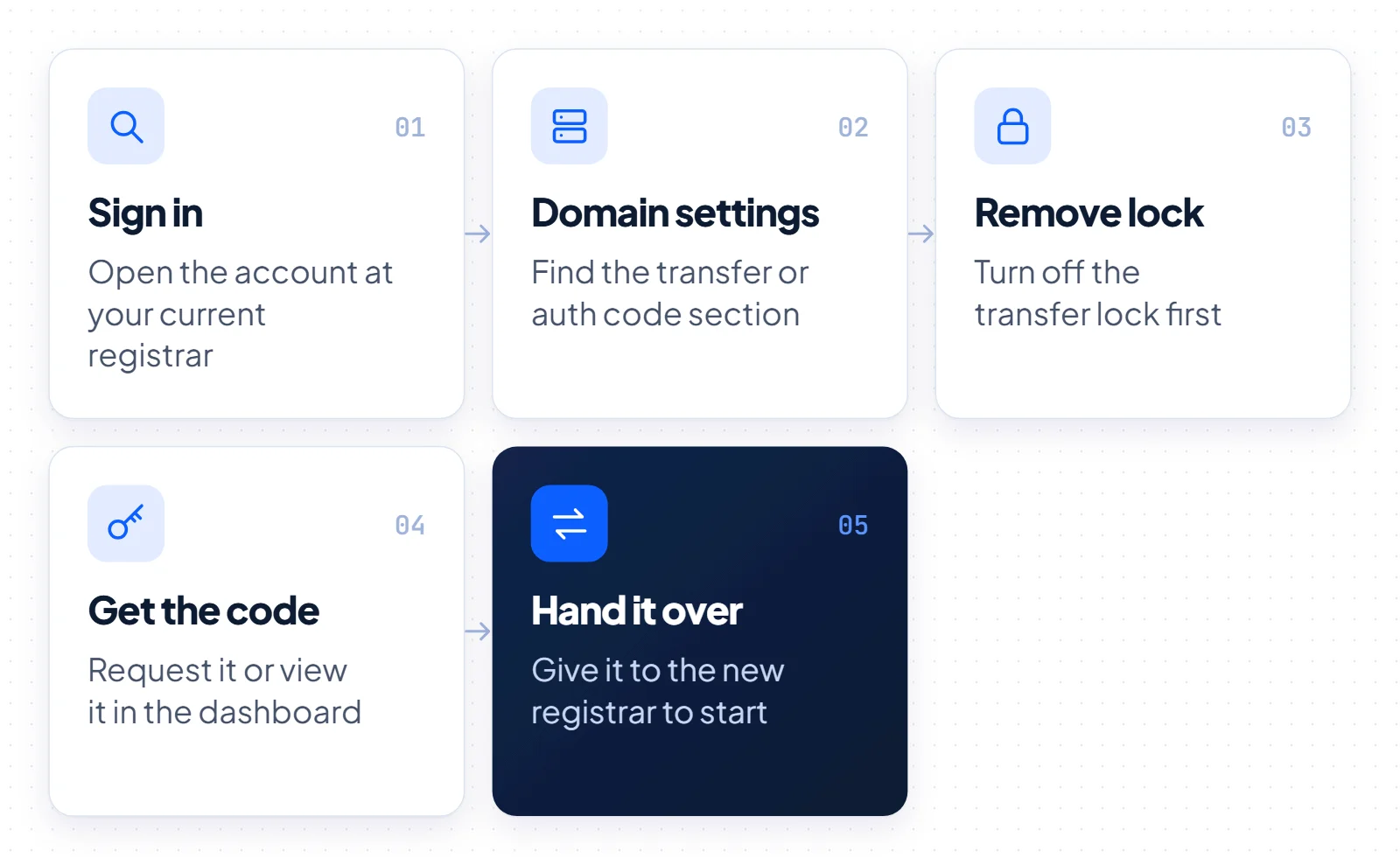
- Sign in to the account at your current registrar, the company that manages the domain now.
- Open the settings for the domain you want to move and find the transfer or authorization code section.
- Remove the transfer lock. This clears the clientTransferProhibited status, and ICANN gives registrars 5 calendar days to do it on request when there is no self-service option.
- Request or view the code. Depending on the registrar, it appears on screen or arrives by email.
- Give the code to the new registrar when you start the transfer there. The new registrar submits it to the registry, which needs it to complete the transfer.
Dashboards differ between registrars, but the path is usually the same: domain settings, then a label such as Transfer or Authorization code. If you cannot find it, ask support. For gTLDs such as .com, the 5-day deadline still applies.
When a domain changes owners, the seller runs these steps. A careful seller releases the code only after escrow holds the buyer’s payment. Our guide to buying a domain that is already taken walks through that sequence.
How long an EPP code is valid and how to keep it safe
An EPP code has no single global validity period, because it depends on the registry and the registrar. RFC 9154, the standard for secure authorization information, says the code should exist only while a transfer is in process. The registrar must also tell you its time to live. Register.si caps a .si code at 16 days, and ICANN’s adopted recommendations would set 14 days for gTLDs.
Three rules keep the code safe.
- Secrecy: share the code only with the new registrar. RFC 9154 requires an encrypted channel and bars the old registrar from storing it. The registry must keep it only as a strong one-way hash.
- Uniqueness: ICANN requires registrar-generated codes to be unique for each domain and used only to identify the holder.
- Strength and a short life: RFC 9154 calls for a secure random value with at least 128 bits of entropy. After a successful transfer, the registry must unset the code automatically.
If a code leaks or a transfer stalls, ask the registrar for a new one.
What ICANN’s revised Transfer Policy changes
The ICANN Board adopted all 47 Transfer Policy Review recommendations on June 7, 2026, in resolution 2026.06.07.04. They are not in force yet: as of October 5, 2026, ICANN had announced no effective date, and implementation still requires drafting the policy text with an Implementation Review Team.
The details are not in the resolution itself but in the working group’s Final Report of February 4, 2025. Under the adopted recommendations, ICANN plans these changes and clarifications.
- New name: policies will use Transfer Authorization Code, or TAC, in place of AuthInfo code. The change is terminology only.
- Deadline in hours: registrars must still provide the TAC within 5 days, now stated as at most 120 hours. The policy must make clear that 120 hours is the maximum, not the standard.
- Fixed validity: a TAC is valid for 336 hours (14 days) from the moment it is set at the registry, unless it is used or reset earlier, for example after a security breach.
- One-time use: each TAC works for a single transfer.
- Stronger codes: the RFC 9154 minimum of 128 bits of entropy becomes mandatory.
- Shorter restrictions: a 720-hour (30-day) transfer restriction after registration, and after a transfer between registrars, would replace today’s 60 days.
Until implementation, the current policy applies: AuthInfo codes, the 5-day deadline and the 60-day windows. These ICANN rules cover gTLDs such as .com. Country-code domains, explained in our ccTLD guide, follow their own registry rules.
EPP codes for .si domains
A .si transfer uses the same mechanism as a gTLD transfer, but Register.si calls the code geslo (password), also epp koda, epp geslo or authinfo. The holder sets it at the current registrar and gives it to the new registrar, which completes the transfer. Register.si says the geslo is valid until its first use or for 16 days at most.
That limit comes from Register.si’s Slovenian transfer page. If no transfer happens in that time, the holder must set a new one. The English page gives no validity period.
Both the Slovenian and the English version of the page offer an option worth knowing: an AuthInfo SHA-256 calculator. You choose the password yourself, give its SHA-256 digest to the current registrar and give the plain password to the new one. The calculator runs locally in your browser, so the password is not sent over the network when you generate the digest.
One gap matters for planning. The ICANN Transfer Policy covers gTLDs, not .si, and we found no .si equivalent of ICANN’s 5-day deadline on Register.si’s pages. Ask your registrar how fast it sets the code before agreeing on a timeline.
Our .si domain guide covers the other rules. .si is Slovenia’s country-code domain. For AI companies it reads as SuperIntelligence.
What to do when an EPP code fails
When a transfer fails, check four things in order: the lock, the code, the timing and any legal hold.
- Domain still locked: while clientTransferProhibited is set, the registry rejects the request. Ask the registrar to remove it; for gTLDs it must do so within 5 calendar days.
- Code rejected: the code may have expired or been mistyped. Request a fresh one and paste it without extra spaces.
- Domain too new: a registrar may deny a transfer within 60 days of registration or of a previous transfer. After a change of registrant, the registrar must apply a 60-day transfer lock, unless it offered an opt-out and the holder used it before the change.
- Legal hold: a registrar must deny a transfer during a UDRP proceeding, under a court order, or during a pending TDRP or URS dispute.
Under the ICANN policy, a registrar must not deny a transfer over an unpaid future registration period or a holder who did not respond. A lock is no excuse either, unless the holder had a reasonable chance to remove it. If a gTLD registrar still refuses or misses the 5-day deadline, file a complaint with ICANN Contractual Compliance through its transfer complaint form. That route does not apply to .si, because the ICANN Transfer Policy does not cover country-code domains.
What to do next as a buyer or seller
The right move depends on your side of the deal. Sellers control the timing, while buyers carry the risk until the domain reaches their account.
If you are selling, check the 60-day windows before you promise a date, and remove the lock only once the buyer’s payment is held in domain escrow. Send the EPP code privately, to the buyer or the new registrar only. For a .si name, remember the 16-day limit and set the geslo close to the transfer date.
If you are buying, ask the seller for the registration date and the last transfer date, so a 60-day restriction does not stall the deal. Start the transfer as soon as you receive the code, and confirm the domain shows in your account before escrow releases the funds. If you are still deciding whether a name is worth its price, our premium domain names guide covers comparable sales and total cost.