Domain history is the full record of a domain name’s past. It shows when the name was registered, who held it, what content it hosted, how Google and blocklists rated it, and which sites linked to it. Checking domain history before you buy shows whether a name comes with penalties, spam listings or legal disputes attached.
The way you check has changed. Since January 28, 2025, ICANN no longer requires gTLD registries and registrars to run WHOIS, except for .com, .name and .post, and RDAP is now the required lookup protocol. Google added “expired domain abuse” to its spam policies in March 2024. The term has real search demand: “domain history” gets about 700 searches a month in the US and 3,800 worldwide (Ahrefs, October 5, 2026).
What domain history includes
Domain history covers six layers: registration, ownership, content, reputation, links and legal disputes. Each layer has its own primary source, and no single tool shows all of them.
- Registration: the creation date, registrar, expiry date and status codes, read from RDAP or the registry’s WHOIS.
- Ownership: who held the name and when. Under current privacy rules, most of this is redacted.
- Content: what the domain published over the years, visible through archived snapshots.
- Reputation: Google manual actions, Google Safe Browsing listings and spam blocklists such as the Spamhaus DBL.
- Links: the backlinks other sites point at the domain, including their topics and anchor text.
- Legal disputes: trademark complaints against the name, such as UDRP cases decided by WIPO panels.
Domain age and site age are different things. A name registered 20 years ago may have hosted several unrelated sites since then, or nothing at all. The creation date tells you when the name entered the registry, not whether its past is clean.
Why domain history matters before you buy
Domain history matters because penalties and blocklist entries attach to the domain and its site, not to the person who owns it. A name that looks clean today can still carry an old manual action, a spam listing or a trademark claim. Google announced its expired domain abuse policy on March 5, 2024.
Google’s spam policies name one risk directly: expired domain abuse. It covers a domain “purchased and repurposed primarily to manipulate search rankings” with content of “little to no value to users,” such as casino-related content on a former elementary school site. The policy page was last updated on August 28, 2026.
When it announced the policy, Google said that using an old domain for a new, original site built to serve people is fine. The problem is the intent to rank thin content on borrowed signals, not the age of the name. If you are looking at a lapsed name, our guide to buying expired domains safely explains how the process works.
Manual actions are the second risk. Google tells people who bought a site that broke its spam policies to fix the issues, then say in a reconsideration request that they recently acquired the site. Google documents no automatic reset after a sale, and most reconsideration reviews take several days or weeks.
The third risk is legal. A name that matches someone else’s trademark may already have a dispute record, or it may attract a complaint after you buy it and start using it.
How to check domain history, step by step
To check domain history, work through six public checks in order: the RDAP registration record, Wayback Machine snapshots, Google Safe Browsing, the Spamhaus Domain Blocklist, backlinks and WIPO dispute records. Then ask the seller for screenshots of the Search Console Manual Actions report, which only the site’s verified owners and the users they add can open. Also ask for written answers about how the name was acquired and used.
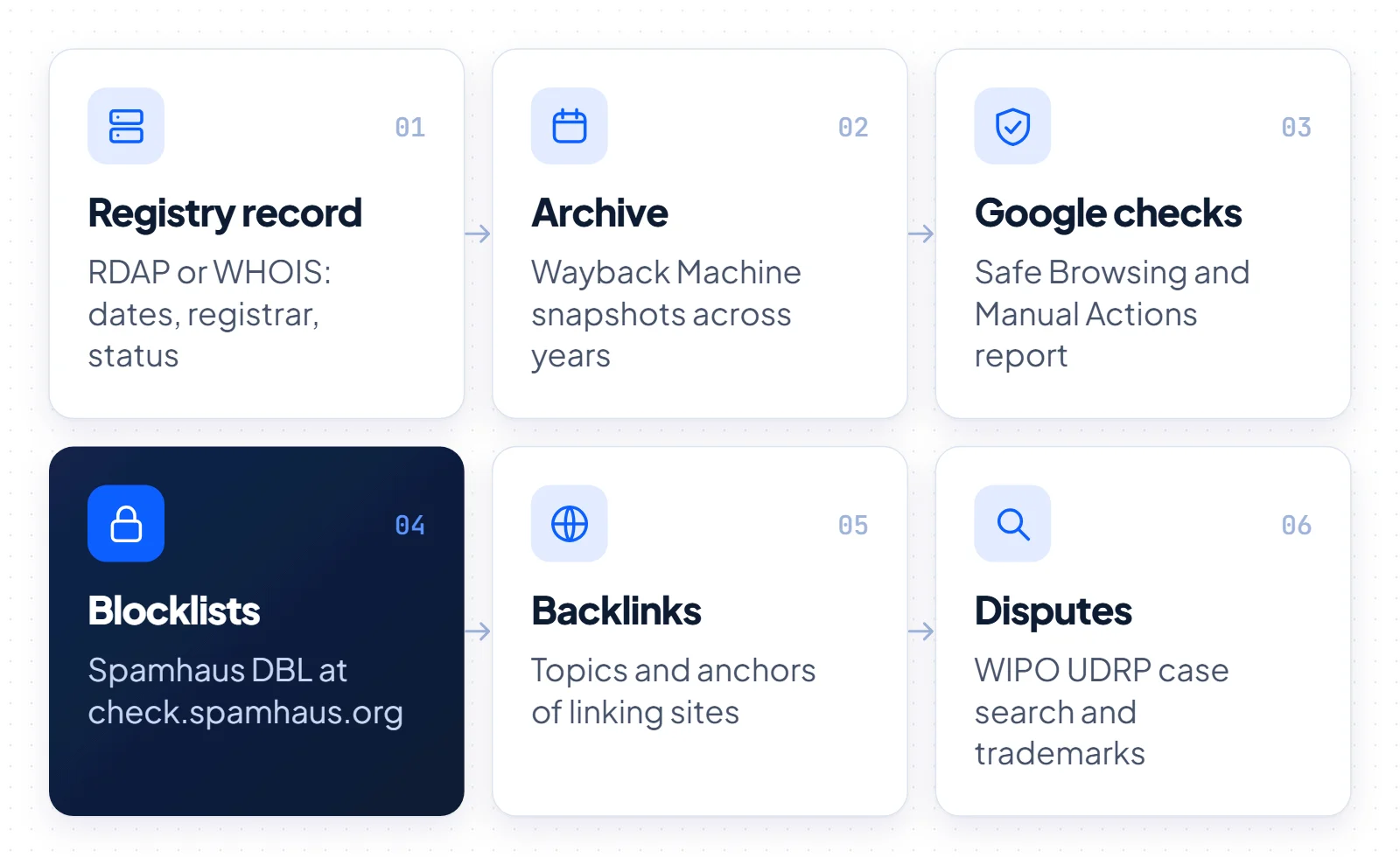
- Pull the current registration record. Run an RDAP lookup, for example with ICANN Lookup, or use the registry’s WHOIS where it still runs. ICANN calls RDAP the definitive source for gTLD registration data. Note the creation date, registrar, expiry date and status codes. Hold statuses, server prohibited statuses and locks on a change of holder all need an explanation before you pay.
- Review archived content. Search the domain in the Wayback Machine, run by the Internet Archive, which has saved web pages since 1996 and passed one trillion archived pages in October 2025. Open snapshots from several different years. Parked pages are common, while casino or pharma pages, foreign-language spam and sudden switches to unrelated topics are warning signs.
- Check Google Safe Browsing. Enter the domain in the Safe Browsing site status tool in Google’s Transparency Report. Safe Browsing lists sites tied to phishing, malware and unwanted software, and Google scans its web index daily to find them.
- Ask for the Manual Actions report. Only the site’s verified owners and the users they add can see its Search Console data, so before payment ask the seller for screenshots of the Manual Actions report and the Search Console message center, or for temporary user access. The report also shows the site’s manual action history, not only open actions.
- Look up spam blocklists. Check the name against the Spamhaus Domain Blocklist (DBL) at check.spamhaus.org. The DBL covers domains that show signs of spam or malicious activity, including hijacked domains, and Spamhaus never charges a fee to remove a listing.
- Audit the backlinks. Any major backlink index will show which sites link to the domain and with what anchor text. Links from unrelated topics, link networks or spammy anchors suggest past manipulation. Treat old links as a possible bonus, never as the main reason to buy.
- Search dispute records. Use WIPO’s domain case search to look up UDRP cases by domain name, and run a trademark search for the name in your markets. WIPO also offers full text search of panel decisions, so read any past case before you go further.
- Ask the seller what records cannot show. Ask how long they have held the name, how they acquired it, what ran on it and whether anyone has made a legal claim against it. Get the answers in writing, and match them against what you found in steps 1 to 7.
Most of these checks use free public tools. The exception is the Manual Actions report, which depends on the seller.
Domain history checklist: what to check and where
Use this table as a working checklist. Each row names one primary tool and the finding that should stop or delay a purchase until the seller explains it.
| What to check | Where to look (primary tool) | Red flag |
|---|---|---|
| Creation date, registrar, expiry | RDAP lookup, or the registry’s WHOIS where it still runs | The record does not match the seller’s account of age or ownership |
| Status codes | RDAP or the registry’s public record | Hold, server prohibited or registrant transfer locks with no explanation |
| Control of the name | A DNS record the seller adds at your request | The seller cannot show control of the domain |
| Past content | Wayback Machine (Internet Archive) | Casino, pharma or adult pages, foreign-language spam, sudden topic switches |
| Malware and phishing | Google Safe Browsing site status (Transparency Report) | The site is flagged as unsafe |
| Google penalties | Search Console Manual Actions report, shared by the seller | An open manual action, or a seller who will not share the report |
| Spam reputation | Spamhaus DBL at check.spamhaus.org | The domain is currently listed |
| Backlinks | Any major backlink index | Links from unrelated topics, link networks or spammy anchor text |
| Disputes and trademarks | WIPO domain case search and trademark registers | A past UDRP case, or a name that matches a known trademark |
How to check the history of a .si domain
Slovenia’s country-code domain, .si, is run by the registry Register.si, and for AI companies the extension reads as SuperIntelligence. What you can see in a .si record depends on who holds the name. If the holder is a natural person, the public record shows only a contact email address.
Under Register.si’s data publication policy, the public data for a legal entity includes the domain holder, the technical contact and the registrar. A natural person may choose to disclose more. Through Register.si’s RDAP service, anonymous users see no holder or technical contact data, while authenticated users get the full record, depending on their authorizations.
Register.si releases holder data to third parties only for justified reasons, such as exercising legal rights or using alternative domain name dispute resolution (ADR). Register.si administers that procedure itself. The request must explain why you believe you have the right to the data. We found no ownership history service at Register.si, so past holders of a .si name usually cannot be traced through the registry.
Status codes carry extra weight for .si names. A domain in pending delete sits in a 30-day quarantine after expiry or deletion. Client hold and server hold block DNS activation. Server delete prohibited is an uncommon status, usually set during legal disputes or as a registry lock. Server transfer registrant prohibited blocks a change of holder and is usually set during legal or other disputes.
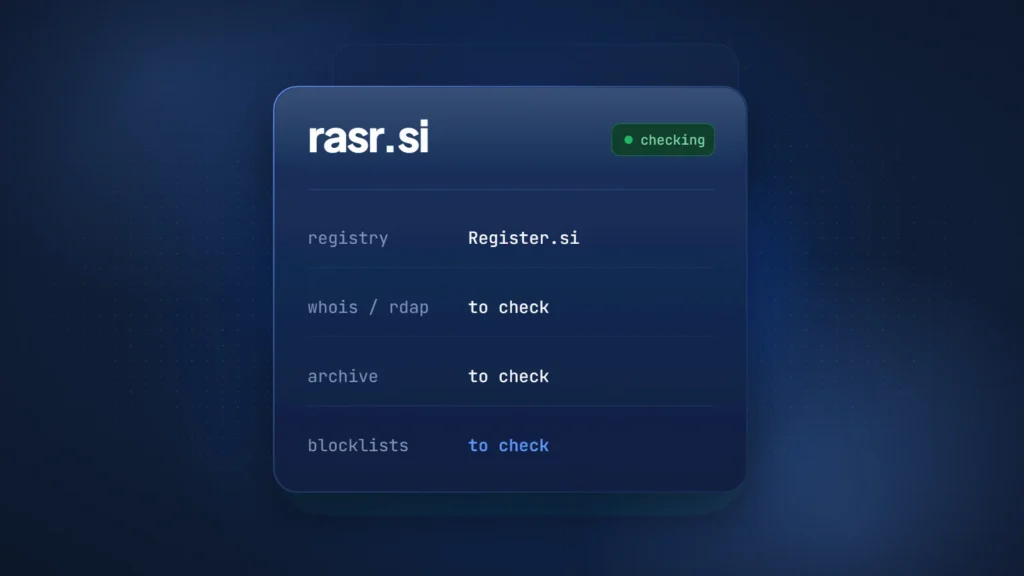
The content, Google and Spamhaus checks work the same way as for any other domain. Run them in order before you buy a short name such as rasr.si: registry record, archive, Safe Browsing, DBL and dispute search. Our complete guide to the .si domain covers the registration rules in more detail.
What domain history cannot tell you
Domain history has four main gaps. Registrant details are mostly redacted, private sales leave no public record and web archives miss pages. Google manual actions are visible only to a site’s verified owners and the users they add. No single lookup closes all four, so a buyer should ask the seller for written answers and documents before paying for a domain.
For gTLDs, ICANN’s Registration Data Policy took effect on August 21, 2025. Where redaction applies, registrars must redact the registrant’s name, street, postal code and phone number. The registrant’s country is always published, and the organization is published if the holder agrees. Email contact runs through an address or web form that does not identify the person.
Commercial WHOIS history services keep snapshots of older records, but their coverage varies and recent records are mostly redacted. Treat them as leads to verify, not as proof of ownership.
Private sales are invisible too: their price, date and parties usually appear in no public record. Ask the seller how and when they acquired the name, and for documents if it matters.
The Wayback Machine has limits of its own. The Internet Archive notes that its crawlers may never have found some sites. It adds that password-protected pages, pages blocked by robots.txt and sites whose owners asked for exclusion can be missing. An empty archive is not proof of a clean past.
Search Console is the last gap: until the transfer is complete, a buyer depends on the seller to share any manual actions.
When to walk away and when to buy
Walk away from a domain with an open manual action, a current DBL listing, a trademark conflict in your market or a seller who refuses to share evidence. Most other findings are manageable, as long as you know about them before you pay and factor them into your domain valuation.
Founders buying a brand name
Registration and legal history matter most for a brand. A trademark conflict can cost you the name later, while a few old, unrelated links matter far less than a live penalty. If the name you want is already held, read our guide on how to buy a domain that is already taken and run this checklist before you make an offer.
SEO buyers looking for backlinks
Read Google’s spam policies before you buy a name for its links. Building a new, original site on an old domain is fine under Google’s own guidance. Buying a name to rank thin content on its past signals is exactly the pattern the expired domain abuse policy targets.
Domain investors
Resale depends on a clean record, so check dispute history and blocklist status first. Our guide to premium domain names covers what makes a name worth paying for. A clean domain history removes a risk, but no check guarantees that a name will gain value.